Appliance Reset Guides by Brand and Model

Appliance Reset Guides by Brand and Model

Find safe reset instructions for washing machines, dryers, dishwashers, refrigerators, air conditioners, boilers, ovens, coffee machines, robot vacuums, and other household appliances.

A reset may clear a temporary control problem, frozen display, interrupted cycle, or minor communication fault. It does not repair damaged parts, blocked hoses, wiring problems, leaks, failed sensors, or other physical faults.

For the best result, choose the correct appliance, brand, and model before following any reset guide.

Find a Reset Guide

Use the search tool to find instructions for your appliance.

Search box placeholder:

Enter a brand, appliance, or model number

Search button:

Find Reset Guide

Try searches such as:

  • Reset LG washing machine
  • Samsung washer reset
  • Bosch dishwasher reset
  • Whirlpool dryer reset
  • Maytag washer factory reset
  • Daikin air conditioner reset
  • Worcester boiler reset
  • De’Longhi coffee machine reset

Include the full model number whenever possible. Reset methods can vary between product ranges from the same manufacturer.

Browse Reset Guides by Appliance

Washing Machine Reset Guides

Find reset instructions for front-load washers, top-load washers, compact machines, and washer-dryer combinations.

A washing machine reset may help when:

  • The control panel is unresponsive
  • A cycle stopped after a power interruption
  • The door remains locked after the cycle
  • The display is frozen
  • The machine will not begin a new cycle
  • A temporary code appeared
  • Settings are not responding correctly

Browse Washing Machine Reset Guides

Dryer Reset Guides

Find reset information for electric dryers, gas dryers, heat-pump dryers, condenser dryers, and tumble dryers.

A dryer reset may help after:

  • A power outage
  • An interrupted drying cycle
  • A temporary overheating warning
  • A control-panel freeze
  • A door-switch interruption
  • A filter or airflow reminder
  • A minor electronic fault

Browse Dryer Reset Guides

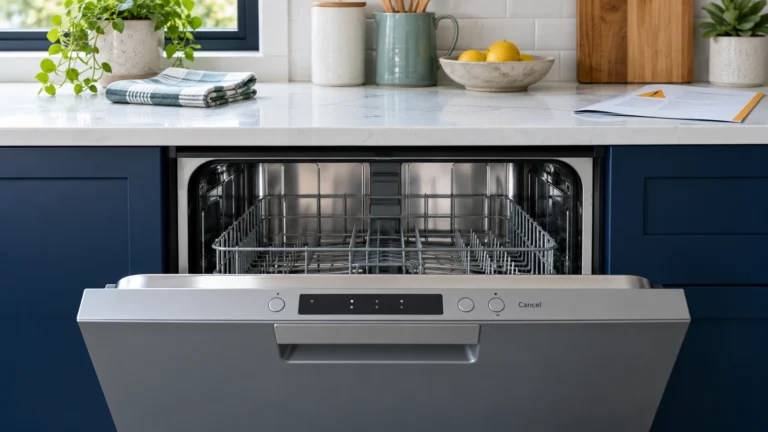
Dishwasher Reset Guides

Browse reset instructions for built-in, portable, drawer-style, and countertop dishwashers.

A dishwasher reset may help when:

  • The cycle is stuck
  • Buttons are not responding
  • The drain pump continues running after a temporary fault
  • The display remains active after the door is opened
  • A power interruption stopped the cycle
  • A temporary error remains after the cause is removed

Browse Dishwasher Reset Guides

Refrigerator Reset Guides

Find reset guides for refrigerators, freezers, ice makers, water filters, control panels, and temperature displays.

A refrigerator reset may help after:

  • A power outage
  • A control-panel freeze
  • A temporary communication error
  • Filter replacement
  • Ice-maker interruption
  • Temperature settings becoming unresponsive
  • A display warning that remains after the cause is corrected

Browse Refrigerator Reset Guides

Air Conditioner Reset Guides

Browse reset information for split systems, portable air conditioners, window units, heat pumps, and ducted systems.

A reset may help after:

  • A power interruption
  • A temporary protection mode
  • A control or remote communication problem
  • A frozen display
  • A minor sensor communication fault
  • A tripped safety control

Do not repeatedly reset an air conditioner that shows compressor, refrigerant, electrical, or overheating faults.

Browse Air Conditioner Reset Guides

Boiler and Furnace Reset Guides

Find reset guidance for boilers, furnaces, heating systems, and selected thermostats.

A heating-system reset may be appropriate after:

  • A brief power interruption
  • A temporary ignition lockout
  • A corrected low-pressure condition
  • A temporary thermostat communication issue
  • A manufacturer-approved restart procedure

Do not keep resetting a boiler or furnace when the same fault returns. Gas, flame, ventilation, overheating, and combustion problems require qualified professional attention.

Browse Boiler and Furnace Reset Guides

Oven and Microwave Reset Guides

Browse reset instructions for wall ovens, ranges, cookers, built-in microwaves, and countertop microwave ovens.

A reset may help when:

  • The clock or display is frozen
  • A power outage interrupted cooking
  • The control panel does not respond
  • The oven remains in a temporary lock mode
  • A minor electronic fault remains after cooling
  • Settings need to be restored

Browse Oven and Microwave Reset Guides

Coffee Machine Reset Guides

Find reset instructions for espresso machines, bean-to-cup machines, capsule systems, grinders, and automatic coffee makers.

A reset may help after:

  • Descaling
  • Cleaning the brew unit
  • Refilling water
  • Emptying trays
  • Replacing a filter
  • Clearing a temporary warning
  • Restoring factory settings

Browse Coffee Machine Reset Guides

Robot Vacuum Reset Guides

Browse reset instructions for robot vacuums, robot mops, charging docks, navigation systems, and Wi-Fi connections.

A reset may help when:

  • The robot is not responding
  • The app cannot connect
  • Navigation is frozen
  • The unit will not leave the dock
  • A temporary sensor warning remains
  • Wi-Fi settings need to be restored

Browse Robot Vacuum Reset Guides

What Does Resetting an Appliance Do?

An appliance reset restarts the electronic control system. It may clear temporary information stored after a power interruption, unfinished cycle, button error, or short communication failure.

Depending on the appliance, a reset may:

  • Restart the control board
  • Clear an interrupted cycle
  • Restore button response
  • Remove a temporary display warning
  • Reconnect internal control systems
  • Return selected settings to default
  • Re-establish communication with an app or remote control

A reset does not confirm that the appliance is safe or fully repaired.

Power Reset, Control Reset, and Factory Reset

Not all resets are the same.

Power reset

A power reset, sometimes called a power cycle, disconnects the appliance from electricity for a short period before restarting it.

This may clear a frozen control or temporary electronic fault.

Control-panel reset

A control reset uses a button or button combination provided for a specific model.

The correct sequence may vary by manufacturer and product series.

Cycle cancellation

Some appliances have a cancel, drain, stop, or clear function that ends the current cycle without resetting all settings.

Factory reset

A factory reset may remove saved preferences, Wi-Fi details, schedules, custom programs, language choices, or user settings.

Do not perform a factory reset unless you understand what information will be erased.

Safety lock or child lock reset

A locked control panel may not indicate a fault. The appliance may have a control lock, child lock, or door lock feature enabled.

Use the correct unlock instructions for the model instead of repeatedly disconnecting power.

When Should You Try a Reset?

A reset may be reasonable when:

  • The appliance stopped after a power outage
  • The display is frozen
  • Buttons do not respond
  • A cycle was interrupted
  • A temporary error appeared once
  • The original cause has already been corrected
  • The manufacturer recommends a reset
  • The appliance has no smoke, leak, gas smell, or electrical warning

Record the error code before resetting. Some appliances remove the displayed code after power is disconnected.

Taking a photograph of the display can help if the problem returns.

When a Reset Will Not Fix the Problem

A reset will not repair:

  • A blocked drain hose
  • A clogged filter
  • A failed water valve
  • A damaged pump
  • A broken door lock
  • A faulty temperature sensor
  • Damaged wiring
  • A failed motor
  • A refrigerant leak
  • A gas ignition problem
  • A worn heating element
  • A defective control board
  • A mechanical obstruction
  • A leaking water connection

If the same code returns immediately, the appliance is detecting an unresolved condition.

What to Do Before Resetting

Follow these basic checks first:

  1. Write down the exact error code.
  2. Note what the appliance was doing when the error appeared.
  3. Confirm the brand and model number.
  4. Check for water leakage, smoke, heat, sparks, or unusual smells.
  5. Review the appliance manual.
  6. Check whether the warning is a maintenance reminder.
  7. Confirm that doors, lids, filters, and containers are correctly fitted.
  8. Stop if the problem may involve gas, refrigerant, mains electricity, or internal wiring.

Do not remove panels while the appliance is connected to electricity.

Basic Power-Cycle Reset

Many appliances can be restarted using a basic power cycle, but this is not suitable for every situation.

A general power cycle may involve:

  1. Turn the appliance off using its normal controls.
  2. Disconnect it from power if this can be done safely.
  3. Leave it disconnected briefly so the control can shut down.
  4. Reconnect the appliance.
  5. Turn it on.
  6. Select a simple test cycle or function.
  7. Check whether the code returns.

Always follow the manufacturer’s instructions when they provide a different method.

Do not unplug a hardwired, gas-connected, built-in, or inaccessible appliance unless you know how to isolate it safely.

What If the Error Returns After Resetting?

Do not repeat the reset continuously.

Instead:

  1. Record the returning code.
  2. Search for the code using the brand and model.
  3. Compare the appliance symptoms with the troubleshooting guide.
  4. Check whether a safe external cause can be corrected.
  5. Stop using the appliance if the fault affects safety.
  6. Contact a qualified technician when internal testing is required.

Repeated resets may hide a developing problem without correcting it.

Regional and Model Differences

Appliance reset instructions can differ between:

  • United States models
  • Canadian models
  • United Kingdom models
  • Australian models
  • New Zealand models
  • Irish models
  • Different voltage versions
  • Different product generations

A button sequence for one model may activate diagnostic mode, child lock, or another function on a different model.

Confirm the full model number before following a model-specific reset.

How to Find the Model Number

Common model-label locations include:

Washing machines and dryers

Check inside the door, around the frame, behind the appliance, or near the detergent drawer.

Dishwashers

Look along the top or side of the open door.

Refrigerators

Check inside the fresh-food compartment, behind a drawer, or on an interior wall.

Air conditioners

Look on the indoor unit, outdoor unit, side panel, or rear label.

Ovens and microwaves

Check around the door frame, inside the door, behind the appliance, or inside a lower drawer.

Boilers and furnaces

Look on the front panel, side casing, control compartment, or installation label.

Important Safety Information

Do not reset or continue using an appliance if you notice:

  • Smoke
  • Sparks
  • Burning smells
  • Gas smells
  • Water near electrical connections
  • Severe overheating
  • Damaged wiring or plugs
  • Repeated circuit-breaker trips
  • Refrigerant leakage
  • Loud grinding or metal contact
  • A door or lid that will not lock safely

Disconnect power only when it is safe to do so.

Repairs involving electricity, gas, refrigerants, combustion systems, internal wiring, sealed cooling systems, or major disassembly should be handled by qualified professionals.

Frequently Asked Questions

Does unplugging an appliance reset it?

Sometimes. Disconnecting power may restart the electronic control, but it may not clear every stored error or restore factory settings.

How long should an appliance stay unplugged?

The required time varies by appliance and model. Follow the manufacturer’s instructions whenever available.

Will a reset erase saved settings?

A basic power reset may preserve most settings, while a factory reset may remove Wi-Fi details, schedules, preferences, and custom programs.

Can resetting clear an error code permanently?

Only when the code was caused by a temporary condition that has already been resolved. A physical or electrical fault will usually cause the code to return.

Why does the appliance work after a reset and fail again later?

An intermittent sensor, wiring, control, airflow, drainage, heating, or mechanical problem may still be present.

Is it safe to keep resetting a boiler or furnace?

No. Repeated ignition, flame, pressure, overheating, or ventilation faults require inspection by a qualified heating professional.

Why is my appliance still locked after resetting?

The appliance may still contain water, be too hot, be completing a safety delay, or have a door-lock fault. Do not force the door open.

Is Error Code Vault affiliated with appliance manufacturers?

No. Error Code Vault is an independent informational website. Brand names, model numbers, product names, and trademarks belong to their respective owners.