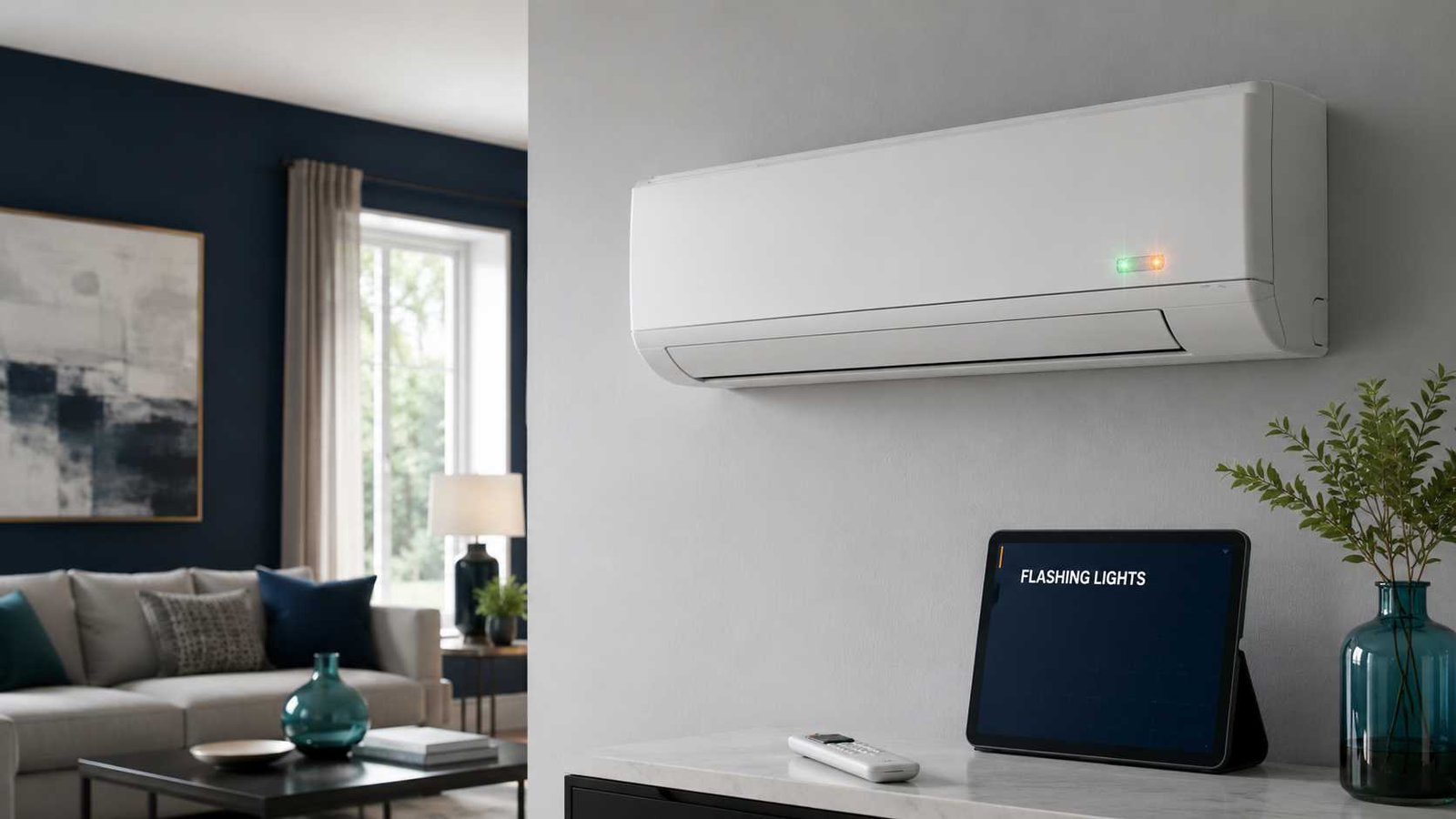
A flashing light on a Mitsubishi air conditioner does not always mean a component has failed. Depending on the model, it may indicate heating warm-up, automatic defrosting, self-cleaning, multi-split standby or a stored fault.
Start by identifying whether your system is made by Mitsubishi Electric or Mitsubishi Heavy Industries. These are separate manufacturers, and their flashing-light systems are different.
Next, identify which lamp is blinking and count the flashes between longer pauses. Record the pattern before resetting the unit because disconnecting the power may temporarily clear the visible indication.
Switch the air conditioner off if the breaker repeatedly trips, water reaches electrical parts, or you notice smoke, a burning smell, damaged wiring or an unusual mechanical noise.
Mitsubishi Flashing Lights:
| Item | What you need to know |
|---|---|
| Appliance | Split-system air conditioner or heat pump |
| Manufacturers covered | Mitsubishi Electric and Mitsubishi Heavy Industries |
| Common indicator names | Operation indicator, RUN light and TIMER light |
| Does flashing always mean a fault? | No. Slow flashing can indicate warm-up, defrost, standby or self-cleaning |
| Safe first check | Identify the manufacturer, model number, lamp name and flash count |
| Can the unit be reset? | One controlled restart may be attempted after recording the pattern |
| Can it still be used? | Only when the pattern is confirmed as normal and no unsafe symptoms are present |
| Common fault areas | Sensors, fan motors, communication circuits, control boards, compressor protection and refrigerant systems |
| Repair difficulty | External checks are suitable for homeowners; internal testing requires a qualified technician |
Important: Mitsubishi flashing-light meanings vary by model and diagnostic mode. Do not order a replacement component from the flash count alone.
First Identify Which Mitsubishi Air Conditioner You Have
The Mitsubishi name is used by two different air-conditioning manufacturers. A fault chart for one should not be applied to the other.
Mitsubishi Electric
Common Mitsubishi Electric residential model prefixes include:
- MSZ
- MSY
- MUZ
- MXZ
These units commonly use an operation indicator lamp on the indoor unit. Some have upper and lower operation lamps. Other models show error information through a wired controller or a stored failure-recall mode.
Mitsubishi Heavy Industries
Common Mitsubishi Heavy Industries model prefixes include:
- SRK
- SRC
- SCM
Wall-mounted MHI systems commonly use a green RUN light and a yellow or orange TIMER light. The state of both lamps may be needed to identify the fault category.
Where to Find the Model Number
Check the rating label attached to the indoor unit. Depending on the model, it may be:
- On the side or underside of the indoor unit
- Under the front filter cover
- Near the filter compartment
- On the installation paperwork
- On the invoice or warranty documents
Record the complete model number, including any letters after the main number. Regional suffixes may identify a different product version or electrical specification.
Is the Flashing Light Normal or a Fault?
Before using a fault table, check whether the light represents normal operation.
Temperature Status on Mitsubishi Electric Units
On selected Mitsubishi Electric systems, the operation indicators show whether the room is still far from the selected temperature or is approaching the set point.
An indicator change is less concerning when:
- The air conditioner continues operating
- The room is moving toward the selected temperature
- The unit does not repeatedly shut down
- There is no abnormal noise, smell or water leak
Multi-Split Standby or Mode Conflict
A Mitsubishi Electric indoor unit connected to a multi-split outdoor unit may blink while waiting in standby.
Indoor units sharing the same outdoor unit normally cannot cool and heat at the same time. For example, if one room requests cooling and another requests heating, one indoor unit may remain in standby.
Try the following:
- Check every indoor unit connected to the same outdoor system.
- Set all operating units to cooling or all to heating.
- Wait several minutes for the system to respond.
- Check whether the blinking stops.
If the light stops after all indoor units are placed in the same mode, the system was probably indicating standby rather than a component fault.
Heating Warm-Up and Defrost
On applicable Mitsubishi Heavy Industries models, the green RUN light may blink slowly while the system prevents cold air from blowing at the beginning of heating.
A similar slow pattern can occur during automatic defrosting. During defrost:
- The indoor fan may stop
- The outdoor fan may stop
- Warm airflow may pause
- Water may drain from the outdoor unit
- Steam may briefly appear around the outdoor coil
Normal heating should resume after the defrost cycle finishes.
This pattern is usually normal when:
- Heating has just started
- The outside weather is cold or humid
- Airflow returns after several minutes
- No additional repeating fault sequence appears
Self-Clean Operation
On selected MHI models, the RUN light may blink during self-clean operation.
The indoor fan can continue running after cooling has been switched off. This helps dry moisture inside the indoor unit and may reduce mould growth.
Do not disconnect the power merely because the fan continues briefly after cooling, unless the manual for your model indicates otherwise.
All Mitsubishi Electric Lights Blinking After Cleaning
On selected Mitsubishi Electric models, all indoor-unit LEDs may blink when removable horizontal vanes have not been reinstalled correctly.
This is more likely when the problem begins immediately after filter or vane cleaning.
To check:
- Stop the air conditioner.
- Turn off its dedicated power supply.
- Check the user manual for the correct vane installation procedure.
- Confirm that each permitted removable vane is seated and locked correctly.
- Do not force the vane or fan mechanism.
This check applies only to models designed for user removal of the vanes.
Signs the Flashing Is More Likely a Fault
A fault becomes more likely when:
- The light flashes a fixed number of times and then pauses
- The same sequence repeats continuously
- The indoor or outdoor fan does not start
- Cooling or heating stops completely
- The system shuts down soon after starting
- RUN and TIMER lights flash in a repeated combination
- The upper operation lamp repeatedly blinks
- The flashing returns after one controlled restart
The pattern normally identifies the circuit or system that detected the problem. It does not always identify the exact defective component.
How to Count the Flashing-Light Pattern
A service provider needs the complete pattern, not only the colour of the light.
1. Identify the Exact Lamp
Write down whether it is the:
- Upper operation lamp
- Lower operation lamp
- Green RUN lamp
- TIMER lamp
- Wired-controller display
- Wi-Fi interface lamp
A Wi-Fi status light is different from an air-conditioner diagnostic lamp.
2. Watch for a Longer Pause
Count the flashes that occur before the longer pause.
For example:
Flash, flash, flash, pause, flash, flash, flash, pause
This should be recorded as a repeating three-flash pattern.
3. Check the Other Indicator
On an MHI system, also record whether the second lamp:
- Remains on continuously
- Remains off
- Keeps blinking continuously
- Produces its own counted pattern
Saying that the TIMER light flashes four times may not be enough. The RUN-light state may change the meaning.
4. Watch at Least Two Complete Cycles
A remote-control signal or brief operating change may look like a diagnostic flash. Confirm that the same sequence repeats at least twice.
5. Record a Short Video
A short video can help a service provider confirm:
- The flash count
- The pause length
- Which lamp remains on
- Whether the indoor fan starts
- Whether the unit shuts down
Record the pattern before disconnecting the power.
Mitsubishi Electric Flashing-Light Codes
Mitsubishi Electric does not use one universal flash table across every MSZ, MSY, MXZ, Mr. Slim or City Multi system.
The following examples apply to selected North American MSZ-GL and MSY-GL models while using their stored failure-recall function. The same counts may mean something different on another model or during normal troubleshooting.
| Upper operation lamp pattern | Fault area on selected MSZ-GL and MSY-GL models |
|---|---|
| One flash followed by a longer pause | Room-temperature thermistor circuit |
| Two flashes followed by a longer pause | Indoor coil thermistor circuit |
| Three flashes followed by a longer pause | Indoor-outdoor serial communication |
| Eleven flashes followed by a longer pause | Indoor fan motor feedback |
| Twelve flashes followed by a longer pause | Indoor electronic control system |
One Flash
On the applicable models, one stored recall flash points to the room-temperature thermistor circuit.
Possible technician-level findings include:
- An open or shorted sensor
- A loose connector
- Damaged sensor wiring
- A control-board input problem
The flash does not prove that the sensor itself must be replaced.
Two Flashes
Two stored recall flashes indicate the indoor coil thermistor circuit on the applicable models.
Professional diagnosis may involve testing:
- Sensor resistance
- Connector condition
- Wiring continuity
- Control-board response
Three Flashes
Three stored recall flashes indicate an indoor-outdoor serial communication problem on the applicable GL models.
Possible causes include:
- Incorrect or loose interconnecting wiring
- Interrupted communication
- An indoor control-board fault
- An outdoor control-board fault
- A damaged communication circuit
The interconnecting terminals may carry dangerous voltage. Do not open the electrical covers or rearrange the wires.
Eleven Flashes
Eleven stored recall flashes point to an indoor fan motor feedback problem on the applicable models.
Possible causes include:
- A restricted indoor fan
- Fan-motor failure
- A motor feedback problem
- A loose connector
- An indoor control-board fault
Do not reach through the air outlet or attempt to rotate the fan while the system has power.
Twelve Flashes
Twelve stored recall flashes indicate an indoor electronic control-system problem on the applicable models.
This normally requires professional diagnosis. Disconnecting and restoring the power may temporarily remove the indication, but it cannot repair a damaged circuit board.
Continuous Rapid Blinking
Some Mitsubishi Electric series use continuous blinking at approximately half-second intervals for an indoor-outdoor communication or wiring problem.
This is why the complete model number must be checked before interpreting the pattern.
Mitsubishi Heavy Industries RUN and TIMER Light Codes
The following patterns are examples from selected Mitsubishi Heavy Industries ZT-series documentation. They should not be applied to every SRK, SRC or SCM model without checking the correct manual.
TIMER Light On Continuously
When the TIMER light remains on and the RUN light provides counted flashes, the following fault areas may apply:
| RUN-light pattern | Fault area on selected ZT models |
|---|---|
| One flash | Indoor heat-exchanger sensor 1 |
| Two flashes | Room-temperature sensor |
| Three flashes | Indoor heat-exchanger sensor 3 |
| Four flashes | Wireless LAN interface |
| Five flashes | Indoor electrical circuit or connector |
| Six flashes | Indoor fan motor |
| Seven flashes | Insufficient refrigerant or closed service valve |
Seven flashes does not necessarily mean that the system only needs more refrigerant.
Low refrigerant usually indicates a leak or an installation problem. A qualified refrigerant technician should locate and repair the cause before recharging the system.
RUN Light Keeps Flashing
When the RUN light keeps flashing and the TIMER light provides counted flashes, the following meanings may apply:
| TIMER-light pattern | Fault area on selected ZT models |
|---|---|
| One flash | Outdoor-temperature sensor |
| Two flashes | Outdoor heat-exchanger sensor |
| Four flashes | Compressor discharge-pipe sensor |
| Five flashes | Suction-pipe sensor |
A sensor-related code may be caused by the sensor, its wiring, a connector or the control board. Replacing the sensor without testing the complete circuit may not solve the problem.
RUN Light On Continuously
When the RUN light remains on and the TIMER light gives counted flashes, the following fault areas may apply:
| TIMER-light pattern | Fault area on selected ZT models |
|---|---|
| One flash | Compressor current cut or protection |
| Two flashes | Outdoor-unit fault |
| Three flashes | Overcurrent protection |
| Four flashes | Power transistor or inverter circuit |
| Five flashes | Compressor overheating |
| Six flashes | Indoor-outdoor signal transmission |
| Seven flashes | Outdoor fan motor |
| Continuous flashing | Cooling high-pressure protection |
These are normally technician-level faults.
Possible causes can include:
- A locked compressor
- An outdoor control-board fault
- Incorrect signal wiring
- An outdoor fan problem
- Restricted outdoor airflow
- Incorrect refrigerant charge
- A closed service valve
Other Selected MHI Combinations
| RUN-light state | TIMER-light pattern | Possible fault area |
|---|---|---|
| RUN flashes twice | TIMER flashes twice | Rotor lock |
| RUN flashes seven times | TIMER flashes once | Closed service valve |
A closed service valve may occur after installation or repair work. Do not operate refrigerant valves unless you are trained and authorised to work on the system.
Safe Checks Before Resetting the Air Conditioner
The following checks do not require removing electrical panels.
Confirm the Operating Mode
Check whether the controller is set to:
- Cool
- Heat
- Dry
- Fan
- Auto
On a multi-split system, make sure another indoor unit is not requesting an incompatible mode.
Check the Temperature Setting
For cooling, set the selected temperature below the current room temperature.
For heating, set it above the current room temperature.
Allow several minutes for the compressor-protection delay before deciding that the system has not restarted.
Check the Remote-Control Batteries
Replace weak batteries as a matching pair and confirm the correct polarity.
Resetting the handheld remote is different from resetting the air conditioner. A remote reset usually restores the controller after battery replacement but may not clear an equipment fault.
Inspect the Air Filters
Switch the unit off before opening the user-accessible filter cover.
Clean the filters according to the instructions for your model when they are visibly dirty.
A blocked filter can reduce airflow and performance, but it should not automatically be blamed for every flashing fault.
Check the Indoor and Outdoor Airflow
Make sure that:
- Curtains are not covering the indoor unit
- Furniture is not blocking the outlet
- The outdoor unit is not covered
- Leaves and loose debris are not obstructing the outdoor grille
- Doors and windows are closed during testing
Do not remove the outdoor fan grille or insert any object through it.
Check the Horizontal Vanes
If all indoor LEDs began flashing after cleaning, check the vane installation only when the manual specifically permits the user to remove and reinstall those vanes.
Check the Breaker Once
Confirm that the dedicated air-conditioner breaker is on.
A tripped breaker may be reset once only when there is:
- No burning smell
- No visible wiring damage
- No water near electrical equipment
- No smoke
- No unusual buzzing
Stop if the breaker trips again. Repeated tripping requires professional electrical and appliance diagnosis.
How to Reset a Mitsubishi Air Conditioner Safely
There is no single reset button or button combination for every Mitsubishi air conditioner.
A cautious power restart can be attempted as follows:
- Record the flashing pattern and model number.
- Stop the air conditioner using the remote or wired controller.
- Wait for the indoor fan and vanes to stop.
- Turn off the dedicated circuit breaker or approved isolator.
- Wait at least three minutes.
- Restore the power.
- Allow the system to complete its protection delay.
- Start it once and observe the indicator lights.
Do not repeatedly turn the breaker off and on. Frequent power cycling can hide useful symptoms without correcting the underlying fault.
What to Do If the Light Returns After Reset
A returning flash pattern normally means the original condition remains.
Record the following information before contacting a technician:
- Complete indoor-unit model number
- Outdoor-unit model number, when safely visible
- Which light is flashing
- Number of flashes
- State of the other indicator
- Selected operating mode
- Whether the indoor fan runs
- Whether the outdoor unit starts
- Any unusual sound or smell
- Any water leak
- Any breaker trip
- Whether the problem started after cleaning, maintenance or a power outage
This information can help the service provider locate the correct technical manual before attending the property.
Possible Parts and Systems Involved
| Fault category | Possible components or conditions | Suitable homeowner action |
|---|---|---|
| Temperature-sensor fault | Thermistor, connector, wiring or control-board input | No internal testing |
| Indoor fan fault | Fan motor, obstruction, feedback circuit or control board | Check only for visible external obstruction |
| Communication fault | Interconnecting cable, terminals, indoor board or outdoor board | Professional diagnosis |
| Indoor control fault | Electronic control board or power supply | Professional diagnosis |
| Outdoor control fault | Inverter module, outdoor board or power circuit | Professional diagnosis |
| Compressor protection | Compressor, inverter, airflow or refrigerant condition | Professional diagnosis |
| Refrigerant fault | Leak, undercharge, overcharge or closed service valve | Licensed refrigerant work |
| High-pressure protection | Outdoor airflow, fan fault, excess refrigerant or control problem | Clear safe external airflow only |
A flashing pattern usually identifies the system that detected the abnormal condition. It does not always identify the component that caused it.
When to Stop Troubleshooting
Turn the air conditioner off and arrange professional inspection when:
- The breaker repeatedly trips
- The fuse repeatedly operates
- The power cable becomes hot
- Cable insulation is cracked or damaged
- Smoke or a burning smell is present
- Water leaks near electrical equipment
- RUN and TIMER lights flash rapidly
- An abnormal grinding or electrical noise is heard
- The indoor or outdoor fan appears damaged
- The pattern indicates refrigerant, compressor, inverter or control-board trouble
- The same fault returns after one restart
Do not remove electrical covers, test live voltage, handle refrigerant components, bypass safety devices or dismantle the compressor or fan system.
Frequently Asked Questions
Why is the green light blinking on my Mitsubishi air conditioner?
The meaning depends on the manufacturer, model and pattern. On some Mitsubishi Electric systems, an operation lamp indicates temperature progress or multi-split standby. On selected MHI systems, a slow green RUN light can indicate heating warm-up, defrosting or self-cleaning.
A grouped, repeating flash sequence is more likely to be diagnostic.
What do two flashes mean on a Mitsubishi mini split?
There is no universal two-flash meaning.
On selected Mitsubishi Electric MSZ-GL and MSY-GL models, two stored failure-recall flashes indicate the indoor coil thermistor circuit.
On selected MHI ZT models, two RUN flashes while the TIMER lamp remains on indicate the room-temperature sensor circuit.
Always confirm the full model and the state of both lights.
Why are both Mitsubishi lights blinking?
On Mitsubishi Heavy Industries units, the RUN and TIMER lamps may work together to identify a fault category.
Record whether each lamp stays on, remains off, flashes continuously or gives a counted sequence. Rapid blinking of both lights may indicate a condition that requires the unit to be stopped and inspected.
Is a blinking light normal during heating?
It can be.
Selected MHI units blink the RUN light while preventing cold airflow at heating startup or while performing automatic defrosting. Mitsubishi Electric systems may also delay warm airflow until the indoor heat exchanger warms.
The light should return to its normal state when heating resumes.
Why is my Mitsubishi air conditioner blinking but still working?
The lamp may be showing normal operating status rather than a shutdown fault. It may also be recording an intermittent condition that has not yet stopped the system.
Check whether cooling, heating and fan operation remain normal, and compare the pattern with the manual for the exact model.
Can a dirty filter cause flashing lights?
A dirty filter can restrict airflow and reduce performance. However, many flashing codes relate to sensors, fan motors, communication circuits, control boards or refrigerant protection.
Clean the filter when needed, but do not assume it explains a repeating diagnostic pattern.
How do I clear Mitsubishi flashing-light codes?
Record the pattern first, then perform one controlled power restart.
If the flashing returns, the underlying fault has not been corrected. Some stored errors remain in the diagnostic memory and require model-specific service procedures to retrieve or clear.
Is it safe to use the air conditioner while the light is flashing?
Continue using the unit only when the pattern is confirmed as normal operation, such as heating warm-up, defrost, self-cleaning or multi-split standby.

Emily Carter is an Australian home-appliance safety editor with 9 years of experience researching washers, air conditioners, refrigerators, and coffee machines. She checks troubleshooting steps for accuracy, regional model differences, and homeowner safety before publication.