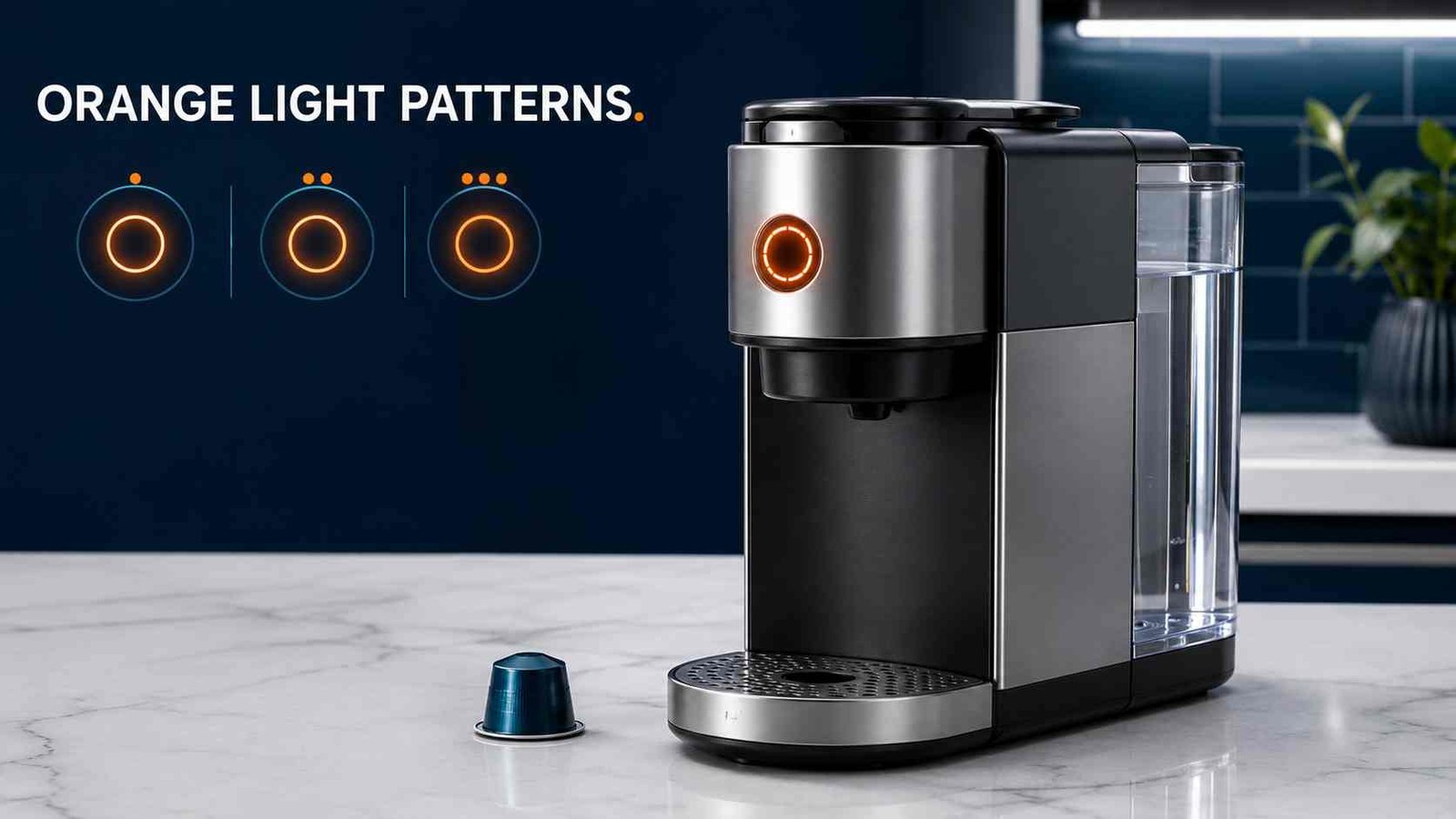
 A Nespresso orange light blinking does not always mean the machine needs descaling. Depending on the model and blinking rhythm, it may indicate cleaning mode, an empty water tank, overheating, an incorrectly locked head, a capsule problem, system emptying, or a machine fault.
Start by watching the light for at least ten seconds. Count the flashes, note any pauses, and check whether water or coffee is flowing. Then identify the exact model before pressing buttons because Vertuo Next, Vertuo Pop, VertuoPlus, and Vertuo Lattissima do not use identical light signals or maintenance procedures.
Do not continue using the machine if it leaks near electrical parts, smells burnt, repeatedly overheats, trips the power supply, or has a damaged cord.
| Item | Details |
|---|---|
| Warning | Orange, amber, or orange-white blinking light |
| Appliance | Capsule coffee machine |
| Brand | Nespresso |
| Commonly affected models | Vertuo Next, Vertuo Pop, VertuoPlus and Vertuo Lattissima |
| Possible meaning | Cleaning, descaling, low water, cooling, maintenance mode or an error |
| First safe check | Fill and reseat the water tank, eject the capsule and lock the head |
| Repair difficulty | Usually low for water, capsule, cleaning or maintenance issues |
| Can the machine be used? | Only after identifying the pattern and resolving any water, locking or overheating issue |
| Professional help | Needed for persistent errors, leaks, electrical smells or failed maintenance cycles |
What Does a Blinking Orange Light Mean on a Nespresso?
On many Vertuo machines, the illuminated coffee button communicates several different conditions. The meaning depends on:
- How quickly it flashes
- Whether it pauses between flashes
- Whether orange alternates with white
- Whether the machine is dispensing water
- Whether you recently started cleaning or descaling
- The exact Nespresso model
This is why advice such as “orange always means descale” can lead owners into the wrong procedure.
A detailed Vertuo Next blinking guide, for example, assigns separate orange patterns to cleaning, descaling, system emptying, cooling, an empty tank, factory reset confirmation and errors. Current Vertuo Next manuals also use one-blink and two-blink pause patterns for troubleshooting.
Nespresso Orange-Light Pattern Table
The following table primarily applies to Vertuo Next machines covered by Nespresso’s detailed blinking summary. Current or region-specific models may present some signals differently.
| Light pattern | Likely meaning | What to do |
|---|---|---|
| Orange flashing about twice per second | Cleaning mode | Allow the cleaning cycle to finish |
| Orange flashing about three times per second | Descaling or emptying mode | Confirm which procedure you started and follow that procedure |
| Orange slowly fading off and returning | Cooling after overheating | Turn the machine off and allow it to cool |
| Two quick orange flashes, then a longer pause | Error | Check the capsule, water tank and locking position |
| Orange on for about 1.5 seconds, then off briefly | Water tank empty | Fill and correctly reseat the tank |
| Five orange flashes within about ten seconds | Factory-reset confirmation | No action is needed if you intentionally reset it |
| Orange and white alternating three times, then steady | Descaling alert | Complete the descaling procedure soon |
These meanings appear in Nespresso’s detailed Vertuo Next blinking summary.
Current Vertuo Next documentation also describes:
| Current pattern | Meaning or first check |
|---|---|
| One blink, one pause | Fill the water tank and check that the lever is locked |
| Two blinks, one pause | Check the capsule, lever, water level and selected maintenance procedure |
| Three alternating flashes, then steady | Descaling is due |
Identify Your Nespresso Model First
Look underneath the machine, behind the water tank, or around the drip tray for the model information. The retail name alone may not be enough because machines are sold through different manufacturing partners and with different model codes in different countries.
Vertuo Next
Vertuo Next uses one illuminated coffee button for brewing, cleaning, descaling, emptying, resetting and fault communication.
On current models, three orange flashes before a steady white light indicate that descaling is required.
Vertuo Pop and Pop+
Vertuo Pop uses a similar coffee-button system. Its official descaling guide also identifies three orange flashes before steady white as the descaling warning. During the actual descaling process, the button continues blinking until the procedure and rinse are completed.
VertuoPlus
VertuoPlus uses a different control arrangement with a button and movable lever.
On this model:
- A steady orange light indicates entry into the special-functions menu.
- Orange blinking occurs during the descaling procedure.
- The normal descaling warning is shown by a combined green-and-red light, not simply three orange flashes.
- The user must exit descaling mode correctly after rinsing.
Do not use a Vertuo Next button sequence on a VertuoPlus.
Vertuo Lattissima
Vertuo Lattissima has separate indicators for coffee and milk-system functions.
Its dedicated descaling indicator works as follows:
- Blinking orange: Descaling is required.
- Fast blinking orange: Only a limited number of preparations remain before the machine blocks.
- Steady orange: The machine has blocked brewing until descaling is completed.
The machine can remain blocked when the complete descaling and rinsing procedure is not finished.
Original-Line and Other Lattissima Machines
Some Original-line Lattissima models also use a separate orange descaling indicator. Their milk controls and menu sequences differ from Vertuo machines.
Use the manual for the exact model rather than following a generic Vertuo reset or descaling video.
Safe Checks to Try First
Complete these checks before attempting a factory reset.
1. Fill and Reseat the Water Tank
Remove the tank and fill it with fresh drinking water.
Before reinstalling it:
- Check that the tank is sitting flat.
- Make sure the connection area is clean.
- Confirm that the tank is not visibly cracked.
- Push it fully into its normal position.
On current Vertuo Next troubleshooting guidance, one blink followed by one pause may indicate an empty tank or an unlocked lever. An incorrectly positioned tank may also cause unusual flow or leakage.
2. Eject the Capsule
Wait until the machine has stopped moving or dispensing.
Unlock and open the head so the capsule can eject. Check for:
- A crushed or heavily dented capsule
- A capsule sitting at an angle
- Coffee residue around the capsule holder
- A capsule left inside during cleaning or descaling
Insert a fresh, compatible capsule only when preparing coffee. No capsule should be present during the normal cleaning, descaling or emptying procedures.
3. Close and Lock the Machine Head
Close the head fully and move the lever into its locked position.
The machine may blink and refuse to start when it cannot confirm that the head is properly locked. Never force a lever that will not move. Empty the used-capsule container and check for a capsule obstructing the mechanism.
4. Decide Whether a Maintenance Cycle Is Running
A continuously blinking orange light can be normal when the machine is:
- Cleaning
- Rinsing
- Descaling
- Emptying its internal water system
When only water is flowing, the machine may simply be completing the maintenance request that was selected. Do not repeatedly press buttons or unplug the machine while an official non-interruptible procedure is running.
5. Allow the Machine to Cool
If the machine has made several drinks close together and now blinks without brewing:
- Turn it off.
- Leave it undisturbed for approximately 20 minutes.
- Make sure its ventilation area is unobstructed.
- Turn it on and try again.
Nespresso’s current Vertuo Next troubleshooting section recommends a cooling period after extensive use when the light flashes and the machine does not run normally.
6. Perform a Simple Power Restart
A power restart is different from a factory reset.
For a persistent two-blink-and-pause condition on Vertuo Next:
- Stop the machine.
- Open the head and replace or remove the capsule as appropriate.
- Unplug the power cord.
- Wait at least ten seconds.
- Plug the machine back in.
- Close and lock the head.
- Turn it on and retry.
Contact Nespresso if the pattern returns after these checks.
Nespresso Orange Light Blinking Twice
Two orange flashes can mean different things depending on their speed and pause.
About Two Flashes per Second
On Vertuo Next models covered by the detailed blinking chart, orange flashing approximately twice per second indicates cleaning mode.
If you intentionally started cleaning and water is flowing:
- Leave the container under the outlet.
- Allow the process to finish.
- Wait for the button to return to its normal steady ready colour.
On current Vertuo Next models, the rinse cycle is started by pressing the coffee button three times within two seconds. The orange light then blinks while the cycle runs and returns to steady white when complete. The process may take several minutes.
Two Quick Flashes Followed by a Long Pause
This pattern indicates an error on the detailed Vertuo Next chart.
Check:
- The water tank is full.
- The capsule is fresh and correctly positioned.
- The head is fully closed.
- The lever is locked.
- No capsule is inside during a maintenance operation.
When the machine still refuses to run, perform the ten-second power restart described above. Do not open the casing or attempt electrical testing.
Nespresso Orange Light Blinking Three Times
Three Quick Flashes per Second
On the detailed Vertuo Next blinking chart, approximately three flashes per second indicate that the machine is in descaling or system-emptying mode.
This does not necessarily mean that descaling is newly required. It can mean that one of those procedures is already active.
Check what you were doing immediately before the flashing started:
- Did you hold the coffee button?
- Did you change the lever position?
- Did you start descaling?
- Were you preparing the machine for storage or repair?
Follow the matching section of the exact manual.
Three Orange Flashes Before Steady White
On current Vertuo Next and Vertuo Pop machines, this pattern is the descaling alert. The machine may allow a limited number of preparations after the warning, but descaling should not be delayed.
Use the manufacturer’s instructions for your exact model. The confirmed Vertuo Next and Pop process uses Nespresso descaling solution, a suitable container and a full rinse stage. The documented procedure takes about 20 minutes.
Important: Descaling is not the same as running plain water through the machine. A cleaning cycle removes loose coffee residue, while descaling addresses mineral buildup in the water system.
Orange Light Blinking Continuously
Continuous orange blinking often means a selected special function is running.
Water Is Flowing
When water is dispensing and you deliberately started cleaning, rinsing or descaling, the blinking is usually part of normal operation.
Let the machine stop automatically unless your specific manual says the procedure may be stopped. Current Vertuo Next documentation states that its descaling procedure should not be interrupted. VertuoPlus instructions differ, which is another reason to confirm the model first.
No Water or Coffee Is Flowing
Check the following:
- Is the water tank full and correctly installed?
- Is the head locked?
- Is a fresh capsule correctly positioned?
- Is a damaged capsule obstructing the head?
- Did the machine recently make several drinks?
- Is it waiting to begin a maintenance stage?
Some cycles take a short time before water begins to flow. However, if the machine remains silent and repeatedly returns to an error pattern, stop retrying and contact Nespresso.
Orange Light Still Blinking After Descaling
A light that remains orange after descaling usually means the full procedure has not ended correctly, the machine is still in descaling mode, or a separate fault remains.
1. Confirm the Rinse Stage Was Completed
Descaling normally has at least two stages:
- Descaling solution passes through the machine.
- Fresh water rinses the internal system.
Stopping after the first stage can leave the machine in maintenance mode.
On Vertuo Next, the light stops blinking rapidly after the rinse completes. On Vertuo Pop, the coffee button should return to a steady light after the machine automatically stops.
2. Refill the Tank With Fresh Water
Empty any remaining solution, rinse the tank thoroughly and fill it with fresh drinking water.
Make sure the tank is properly seated before starting or repeating only the rinse step permitted by the manual.
3. Exit Descaling Mode on VertuoPlus
VertuoPlus does not exit its descaling mode in the same way as Vertuo Next.
Its official guide instructs the user to hold the button and lever together for three seconds after the rinse, or until the light becomes green.
4. Complete the Entire Vertuo Lattissima Procedure
Vertuo Lattissima can remain blocked when descaling is incomplete. The procedure includes both the coffee outlet and the dedicated descaling pipe, followed by a full rinse.
5. Do Not Keep Repeating Descaling Without a Reason
Repeated descaling will not correct:
- An empty or poorly seated tank
- A damaged capsule
- An unlocked head
- An overheating condition
- A control or electronic fault
Identify the actual blinking pattern before starting another cycle.
How to Reset a Nespresso With an Orange Light
A factory reset restores programmed drink volumes and related user settings. It does not repair a blocked water path, damaged lock, leak or electronic failure.
Vertuo Next Factory Reset
For current Vertuo Next machines covered by the official manual:
- Keep the machine plugged in.
- Open and then close the machine head.
- Leave the lever in the unlocked position.
- Press the coffee button five times within three seconds.
The machine then returns to its factory settings.
Only use this sequence on a model whose manual confirms it.
Other Models
VertuoPlus, Vertuo Lattissima and Original-line machines use different reset controls. For example, Vertuo Lattissima enters its settings menu through the hot-foam control rather than the single Vertuo Next sequence.
Do not experiment with random button combinations. They may start emptying, descaling, cleaning or another maintenance mode.
What If the Basic Checks Do Not Work?
Official consumer manuals do not identify one universal replaceable part for a persistent orange-light fault. The cause must be diagnosed from the model, flash pattern and machine behaviour.
Possible problem areas include:
Capsule Recognition
Vertuo machines read information from the capsule. A damaged, incorrectly positioned or incompatible capsule may prevent brewing.
Try one fresh compatible capsule after cleaning visible loose residue from the accessible capsule area with the machine switched off and cool.
Head or Lever Locking
The machine may refuse to start when the head does not close or the lever does not reach its locked position.
Do not force it. Check the used-capsule container and remove any visible obstruction that can be cleared without dismantling the appliance.
Water Delivery
An empty, loose or incorrectly installed tank can cause blinking, no flow or unusual flow.
When the tank is full but no water moves, further diagnosis may be required. Do not disassemble the pump, heater or internal tubing.
Scale Buildup
Scale can contribute to reduced temperature, unusual flow and poor performance. Descale only when required and follow the correct model instructions.
Overheating
Repeated operation can trigger a cooling condition. Allowing the machine to cool is the appropriate homeowner action. A machine that repeatedly overheats under normal use needs professional assessment.
Internal Control Fault
When the correct capsule, water level, lock position, cooling period and maintenance procedure have all been confirmed, an internal sensor, control or mechanical problem is possible.
Nespresso’s consumer guidance directs owners to support rather than internal electrical troubleshooting.
Can You Continue Using the Machine?
It depends on the pattern.
You can normally allow the machine to continue when:
- It is completing a cleaning cycle.
- It is completing an official descaling or rinse procedure.
- Coffee or water is flowing normally for the selected operation.
Do not start another drink when:
- The water tank is empty.
- The head is not properly locked.
- The machine is cooling after overheating.
- Two-blink error patterns continue.
- A Vertuo Lattissima is blocked for descaling.
- The machine cannot complete its rinse cycle.
Unplug the machine and stop using it when:
- Water is leaking near the cord, plug or base.
- The cord or plug is damaged.
- You smell burning or see smoke.
- The appliance repeatedly trips a breaker or safety switch.
- The casing becomes unusually hot.
- The machine makes severe grinding or electrical noises.
Never immerse the machine in water or open its casing for internal electrical work. Nespresso also warns that descaling solution can irritate the skin and eyes and can damage surfaces.
Regional and Model-Code Differences
The light meanings are mainly determined by model family rather than country, but electrical ratings and model codes vary.
Current Vertuo Next documentation lists 220–240 V versions for many markets and 120 V versions for the United States and Canada. It also lists different partner model codes for Nespresso, Breville, De’Longhi, Krups and Magimix machines.
Use the manual that matches both:
- The exact machine family
- The model code on the rating label
- The country where the machine was sold
Do not connect a machine to a voltage supply that does not match its rating label.
When to Contact Nespresso
Contact Nespresso or an authorised service provider when:
- Two-blink errors return after the water, capsule and lock checks
- The machine remains orange after the full rinse and correct exit procedure
- The machine cannot draw water from a full, correctly installed tank
- It repeatedly overheats during ordinary use
- The lever will not close after clearing the capsule container
- Water leaks from inside the appliance
- The machine becomes electrically unsafe
- A Vertuo Lattissima remains blocked after a complete descaling cycle
- The controls do not respond consistently
Have the exact model name, model code and serial number available. Explain the light pattern precisely, such as “two quick orange flashes followed by a pause,” rather than only saying that the light is blinking.
Frequently Asked Questions
Does a blinking orange Nespresso light always mean descaling?
No. Orange can indicate cleaning, emptying, low water, cooling, a selected maintenance function or an error. Three orange flashes before steady white commonly indicate descaling on current Vertuo Next and Pop machines.
Why is my Nespresso blinking orange twice?
On the detailed Vertuo Next chart, orange blinking about twice per second means cleaning mode. Two rapid flashes followed by a longer pause indicate an error. Watch the pattern carefully before taking action.
Why does my Nespresso flash orange three times?
On current Vertuo Next and Pop models, three orange flashes before steady white indicate that descaling is due. Three very rapid flashes per second during operation may instead indicate an active descaling or emptying procedure.
Why is the orange light still blinking after descaling?
The rinse stage may be incomplete, the water tank may not be seated correctly, or the machine may still be in descaling mode. VertuoPlus must be manually taken out of descaling mode, while Vertuo Next and Pop normally return to a steady ready light after the full procedure.
Can I use vinegar to descale my Nespresso?
Nespresso instructs owners to use its specified descaling solution and warns that other solutions may damage the machine. Follow the product and machine instructions for handling and dilution.
Why is my Nespresso blinking when the water tank is full?
The tank may not be correctly seated, the head may be unlocked, the capsule may be damaged, the machine may be overheating, or another error may be present. Remove and reinstall the tank, then check the capsule and locking position.
Will a factory reset clear the orange light?
Only when the light is related to a setting problem. A factory reset will not correct low water, scale buildup, an incomplete rinse, overheating, leakage or a mechanical fault.
How long should I let an overheated Nespresso cool?
Current Vertuo Next troubleshooting guidance recommends turning the machine off and allowing approximately 20 minutes for cooling after extensive use.

Emily Carter is an Australian home-appliance safety editor with 9 years of experience researching washers, air conditioners, refrigerators, and coffee machines. She checks troubleshooting steps for accuracy, regional model differences, and homeowner safety before publication.