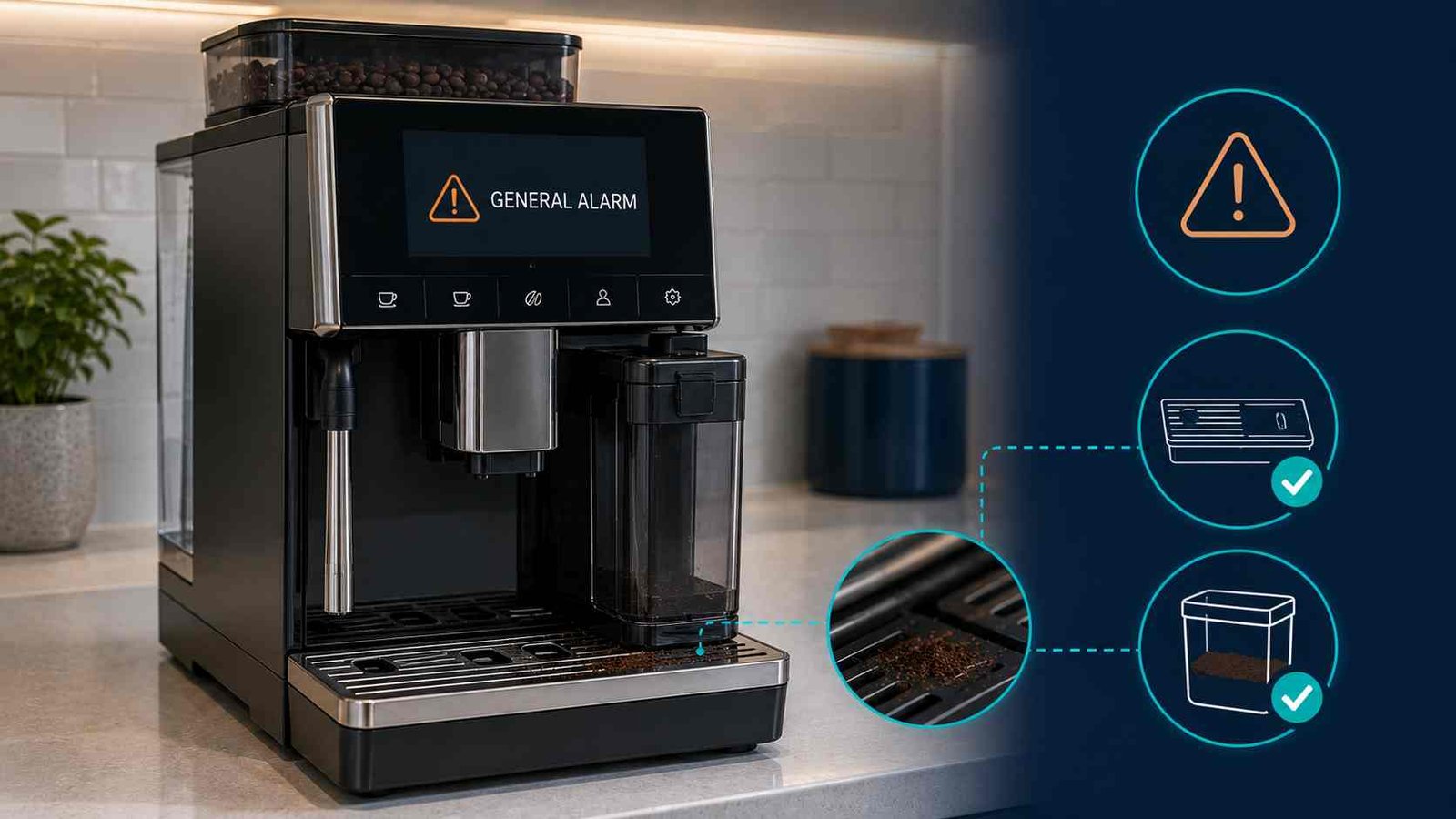
 A De’Longhi Coffee Machine General Alarm usually means the machine has detected a condition that prevents normal operation. On many automatic De’Longhi coffee machines, the manufacturer lists heavy coffee-ground or residue buildup inside the appliance as the first possible cause.
Start by switching the machine off with its normal power button, allowing shutdown to finish, and then unplugging it. Clean the approved removable parts and the accessible internal coffee-ground area according to the instructions for your exact model.
Do not continue using the machine if the alarm remains, the infuser is jammed, the appliance will not complete startup, or you notice smoke, an electrical smell, unusual heat, leaking near electrical areas, or repeated power tripping. Persistent alarms require De’Longhi Customer Services or an approved service centre.
Quick Answer
| Item | Details |
|---|---|
| Warning | General Alarm, red exclamation mark, warning triangle, or persistent flashing lights |
| Appliance | De’Longhi automatic or manual espresso machine |
| Confirmed meaning | The exact meaning varies by model |
| Common official cause on automatic machines | The inside of the machine is very dirty |
| Safe first action | Complete shutdown, unplug, and clean approved removable parts |
| Reset method | No universal General Alarm reset sequence |
| Can the machine be used? | Do not use it while the persistent alarm prevents normal operation |
| User-level difficulty | Basic cleaning is usually straightforward |
| Professional help | Required when cleaning does not clear the warning or parts cannot be removed normally |
What Does the De’Longhi General Alarm Mean?
On many De’Longhi automatic bean-to-cup machines, the General Alarm means the appliance needs a thorough internal clean. De’Longhi support pages for models in the Magnifica, Dinamica, Eletta, PrimaDonna, Autentica, and Maestosa families commonly identify a very dirty interior as the possible cause.
The warning is broader than a numbered error code. It does not automatically prove that a heater, motor, sensor, valve, control board, or another specific component has failed.
Here’s what matters: cleaning is the manufacturer’s first check, not a guaranteed diagnosis. If the warning returns after correct cleaning and reassembly, further testing may be required.
How the Warning May Appear
Depending on the product family and control panel, you may see:
GENERAL ALARMGENERAL ALARM: CONSULT USER MANUAL/APPGENERAL ALARM: REFER TO USER MANUAL OR COFFEE LINK APP- A red exclamation mark
- A warning triangle
- A message such as “Something’s not right”
- All control-panel lights flashing
Magnifica S Plus may show a straightforward General Alarm message, while Dinamica Plus, PrimaDonna, Eletta Explore, and Maestosa models may also direct the owner to the manual or Coffee Link app.
A Rivelia may use the wording “Something’s not right: can you refer to the user manual please?” Its official manual links that warning to a very dirty machine interior and advises contacting De’Longhi or an approved service centre if cleaning does not remove the message.
General Alarm Is Not Always the Same on Every Machine
The cleaning guidance applies mainly to automatic bean-to-cup machines with an accessible brewing unit or infuser.
A manual or semi-automatic espresso machine may use a different warning system. For example, De’Longhi identifies persistent flashing of all lights on the La Specialista Prestigio as a General Alarm and directs the owner to Customer Services rather than providing the removable-infuser cleaning procedure.
Brief flashing during startup can be normal on some La Specialista machines because the appliance is completing a self-diagnosis. Persistent flashing after startup is different and should be matched to the exact model instructions.
On the Dedica EC685, a machine that does not operate and has all lights flashing should be switched off, disconnected from the wall outlet, and referred to Customer Services for further investigation.
Do not use a Magnifica reset or cleaning sequence on a La Specialista, Dedica, or another manual espresso machine unless its own manual provides the same instruction.
Is the General Alarm the Same as a Descale Warning?
No. Cleaning coffee grounds from the machine and running the descaling program are separate maintenance tasks.
A Rivelia manual, for example, lists the descale reminder, an interrupted descaling cycle, a spent water filter, and a dirty-interior warning as different messages with different responses. A General Alarm should therefore not be treated automatically as a request to descale.
Run the descale program when the machine displays its descale warning or when the manual’s maintenance schedule requires it. Do not pour descaler into the appliance simply because the words General Alarm appear.
Safe Checks for an Automatic De’Longhi Coffee Machine
Follow these steps only when your model has an owner-removable infuser or brewing unit. Check the manual if you are unsure.
1. Complete the Normal Shutdown
Switch the machine off using the main power button on the front control panel.
Wait until the machine has completely stopped moving, rinsing, or making internal sounds. Do not unplug it halfway through shutdown.
The brewing unit moves into its removal position during the correct shutdown sequence. A power interruption or premature disconnection can leave it out of position.
2. Unplug the Machine
Once shutdown has finished, disconnect the plug from the wall outlet.
Do not remove panels or put your hands inside the machine while it remains connected to mains power.
Allow hot areas to cool before cleaning. The coffee spouts, internal water circuit, steam components, and nearby surfaces may remain hot after use.
3. Remove the Drip Tray and Grounds Container
Pull out the drip tray and coffee-grounds container according to the model instructions.
Empty both parts. Remove compacted coffee grounds, wet residue, and loose particles. Wash only in the manner permitted by the manual, because dishwasher suitability varies between components and product families.
Check that the tray is not cracked, distorted, or blocked by grounds that could stop it from seating fully.
4. Remove the Infuser Only When Permitted
Open the service door or infuser flap.
On many automatic models, the infuser is released by pressing two coloured or red release buttons while pulling it gently outward. The exact location varies by machine.
Do not force it.
If the infuser does not move freely:
- Close the service area.
- Reinstall the tray, grounds container, and water tank.
- Reconnect the machine.
- Let it complete a full startup.
- Switch it off with the normal power button.
- Wait for shutdown to finish.
- Unplug it and try again.
De’Longhi states that a stuck infuser can result from an interrupted power or shutdown sequence. If it still cannot be removed normally, stop and arrange service.
5. Rinse the Infuser With Water Only
Rinse the removable infuser under clean running water. Some manuals instruct the owner to soak it in fresh drinking water for about five minutes before rinsing. Follow the procedure for your model.
Do not use:
- Washing-up liquid
- Household detergent
- Dishwasher tablets
- Abrasive cleaners
- A dishwasher, unless the manual specifically refers to another removable component rather than the infuser
De’Longhi’s brewing-unit instructions state that the infuser should be cleaned with water only and not placed in a dishwasher. Detergent can damage the unit or interfere with its lubrication.
Do not scrub away the factory-applied grease from moving points.
6. Clean Loose Grounds From the Accessible Interior
With the machine unplugged and the infuser removed, inspect the accessible area for loose dry coffee grounds.
Pay particular attention to:
- The space behind the grounds container
- The infuser housing
- Corners around the drip-tray opening
- The pre-ground coffee funnel, where accessible
- The coffee-spout area
De’Longhi’s General Alarm guidance specifically recommends thoroughly removing loose grounds and gives particular attention to the area behind the grounds container. One official support procedure mentions using a vacuum for loose grounds. Use that method only when it matches your model guidance, the machine is unplugged, and the nozzle cannot damage wiring, seals, sensors, or moving parts.
A dry, soft brush may be safer for tight areas when the manual permits it. Do not pour water into the machine body.
7. Reinstall the Infuser Correctly
Slide the clean infuser into its housing without forcing it.
Make sure:
- It is correctly aligned
- It clicks or locks into position
- The release buttons return to their normal position
- The service door closes fully
- The water tank is properly installed
The Rivelia manual, for example, instructs users to confirm that the coloured release buttons have snapped outward after the brewing unit is inserted.
8. Reinstall the Tray and Grounds Container
Place the grounds container correctly on or inside the drip-tray assembly, depending on the model.
Push the complete assembly fully into the machine. Do not insert the grounds container separately if the design requires it to sit in the drip tray.
A tray, grounds container, water tank, brewing unit, or service door that is not seated correctly may prevent operation. Newer display models often show a more specific installation message, but older light-based machines may give less detail.
9. Restart the Coffee Machine
Reconnect the plug and switch the machine on normally.
Allow the startup and rinse cycle to finish. Do not press multiple buttons or interrupt the machine while it is positioning the brewing unit.
If the warning clears, prepare a rinse or test drink and watch for:
- Unusual grinding or clicking
- Water leaking under the machine
- The brewing unit failing to move
- The General Alarm returning
- The machine stopping during startup
Can You Reset the De’Longhi General Alarm?
There is no single General Alarm reset sequence that applies to every De’Longhi machine.
For many models, the practical clearing process is:
- Complete shutdown.
- Unplug the appliance.
- Clean the approved internal and removable areas.
- Reassemble everything correctly.
- Restart the machine.
This is a controlled restart combined with corrective cleaning. It is not the same as a factory reset.
A factory reset normally restores beverage preferences and other user settings. It will not remove coffee residue, reposition a mechanically stuck infuser, or repair an internal fault.
Avoid online button combinations that are not documented for your exact model. Diagnostic menus and service modes may differ even between machines that look similar.
Why Does the General Alarm Return After Cleaning?
A warning that returns does not necessarily mean the cleaning was done incorrectly.
Check these straightforward points first:
- The infuser is fully inserted.
- The coloured release buttons have returned outward.
- The service door or side flap is closed.
- The grounds container is sitting correctly in the drip tray.
- The tray is fully inserted.
- The water tank is seated properly.
- No loose grounds remain behind the grounds container.
- The machine completed startup and shutdown without losing power.
If all accessible parts are clean and correctly installed but the warning remains, the fault has moved beyond a basic homeowner check. De’Longhi’s official guidance for several automatic models is to contact a service centre when thorough cleaning does not clear the General Alarm.
Does the Alarm Identify a Faulty Part?
No. The General Alarm by itself does not confirm a failed component.
It would be inaccurate to order a motor, thermoblock, temperature sensor, microswitch, valve, brewing drive, or electronic control board based only on this message.
A technician may need to inspect the machine’s stored fault information, startup behaviour, brewing-unit movement, temperature control, water circuit, switches, or electronics. Those checks may involve mains electricity, hot-water systems, internal wiring, and machine disassembly.
They are not safe homeowner procedures.
Is the Coffee Machine Safe to Use?
Do not try to make coffee while a persistent General Alarm is preventing normal operation.
Disconnect the appliance and stop troubleshooting immediately if you notice:
- Smoke
- A burning or electrical smell
- Sparking
- Repeated circuit-breaker or safety-switch tripping
- Melted or discoloured plastic
- Water leaking near the plug, cord, controls, or machine base
- Severe overheating
- Harsh mechanical grinding or repeated impact sounds
- A damaged power cord
- An infuser that is visibly broken or jammed
Do not bypass a door switch, tray sensor, thermal device, or safety interlock to make the machine operate.
Models Commonly Associated With General Alarm Messages
The wording has appeared in official support material for several product groups, including:
| Model family | Typical warning style | Official first response |
|---|---|---|
| Magnifica S and related models | General Alarm | Clean the machine interior |
| Dinamica and Dinamica Plus | General Alarm or consult manual/app | Clean the interior thoroughly |
| Eletta and Eletta Explore | General Alarm or Coffee Link reference | Clean the interior |
| PrimaDonna | Refer to manual or app | Clean the machine thoroughly |
| Maestosa | Refer to manual or Coffee Link | Clean the appliance interior |
| Autentica | General Alarm | Clean regularly serviced internal areas |
| Rivelia | “Something’s not right” warning | Clean inside; service if it remains |
| La Specialista Prestigio | Persistent all-lights flashing | Contact Customer Services |
The table is a general reference. Always use the model number on the appliance rating label to locate the correct manual.
Regional Differences
The main cleaning principle is broadly consistent across De’Longhi support material available in different markets. However, model ranges, control-panel wording, warranty terms, service contacts, electrical supply, and product numbers differ between the United States, Canada, the United Kingdom, Ireland, Australia, and New Zealand.
Use your regional De’Longhi website and the complete product number from the rating label. Do not rely only on a family name such as Magnifica or Dinamica because several versions may exist within the same family.
When to Contact De’Longhi or a Service Centre
Arrange professional support when:
- The General Alarm remains after approved cleaning.
- The warning returns at every startup.
- The infuser cannot be removed after a correct shutdown.
- The infuser will not reinstall without force.
- The machine cannot complete its startup or rinse cycle.
- Persistent flashing appears on a La Specialista or Dedica model.
- Water is leaking inside the appliance.
- The machine makes loud mechanical noises.
- There are signs of electrical overheating.
- The product is still under warranty.
- You cannot confirm the correct cleaning instructions for the model.
Provide the service agent with:
- Full model number
- Product or type number
- Serial number
- Exact display wording or light pattern
- The stage at which the alarm appears
- Whether it began after cleaning, descaling, a power cut, or moving the appliance
- The safe checks already completed
Do not dismantle the casing before a warranty assessment.
Frequently Asked Questions
What is the most common cause of a De’Longhi General Alarm?
On many automatic De’Longhi machines, the official possible cause is heavy dirt or coffee-ground buildup inside the appliance. Thorough cleaning is the first recommended action. The alarm can still require service if it remains after cleaning.
Can I keep using the machine with the General Alarm showing?
Do not use the machine while a persistent General Alarm prevents normal operation. Clean it according to the correct manual and arrange service if the warning remains.
Does the General Alarm mean I need to descale?
Not necessarily. De’Longhi treats descaling, water-filter replacement, interrupted descaling, and a dirty-machine warning as separate conditions on supported display models. Follow the message actually shown by the machine.
How do I remove a stuck De’Longhi infuser?
Let the machine complete startup, switch it off with the normal power button, wait for shutdown to finish, and unplug it before trying again. Never force the infuser. If it remains stuck, contact a service centre.
Can I wash the infuser with washing-up liquid?
No. Official De’Longhi instructions say to rinse the brewing unit with water only. Do not use detergent and do not place it in a dishwasher.
Will unplugging the coffee machine reset the alarm?
Unplugging after a completed shutdown may form part of the safe cleaning procedure, but it will not correct unresolved dirt, incorrect assembly, a jammed mechanism, or an internal fault.
Why did the alarm appear after a power cut?
A power interruption can leave the brewing unit outside its normal removal position. A complete startup followed by a proper button-controlled shutdown may allow it to reposition. Do not force the unit if it remains stuck.
What does it mean when all the lights flash on a La Specialista?
Brief flashing during startup may be normal self-diagnosis on selected La Specialista models. Persistent flashing on the La Specialista Prestigio is identified as a General Alarm and requires Customer Services.

Emily Carter is an Australian home-appliance safety editor with 9 years of experience researching washers, air conditioners, refrigerators, and coffee machines. She checks troubleshooting steps for accuracy, regional model differences, and homeowner safety before publication.