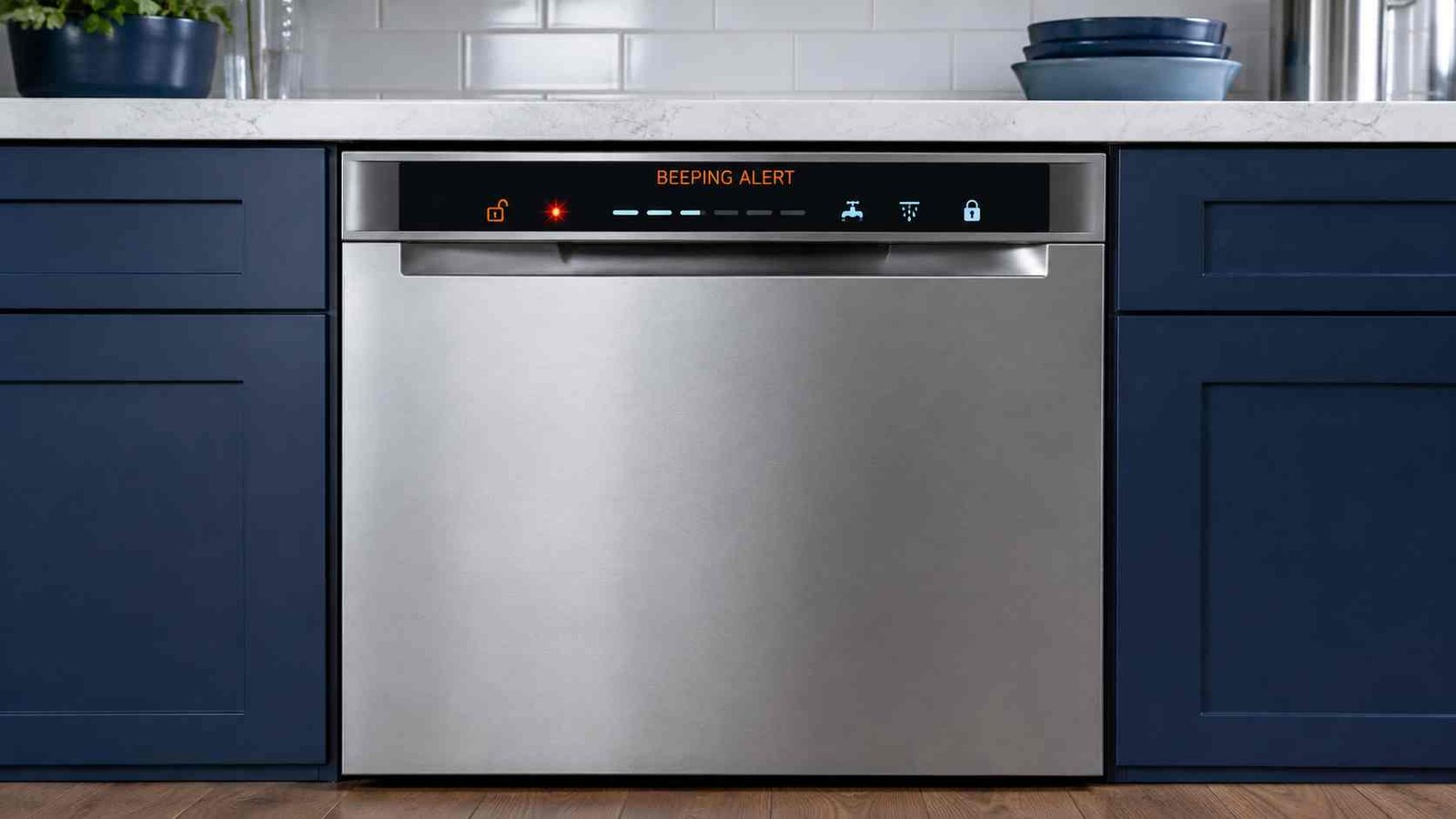
 A dishwasher that keeps beeping is not always reporting a serious fault. The sound may be a normal end-of-cycle notification, a reminder that the door is open, a locked control-panel alert, or a warning linked to water filling, drainage, leakage, or another model-specific problem.
Start by checking when the sound occurs. Make sure the door is fully closed, look for flashing lights or an error code, and check whether water is standing in the bottom of the tub. Do not keep using the dishwasher if it is leaking, repeatedly tripping the breaker or RCD, producing a burning smell, or continuously filling or draining.
The number of beeps does not have one universal meaning. Always check the appliance brand, model number, display, and owner’s manual before treating a beep pattern as an error code.
| Item | Details |
|---|---|
| Problem | Dishwasher repeatedly beeps, chimes, or sounds an alarm |
| Appliance | Built-in, portable, compact, or drawer dishwasher |
| Universal meaning | None; the meaning varies by brand and model |
| Common explanations | Cycle complete, open door, Control Lock, paused cycle, water-supply problem, drainage problem, or leak detection |
| Safe first check | Close the door firmly and record any flashing lights or displayed code |
| Repair difficulty | Easy for basic checks; moderate or professional for sensor, pump, latch, wiring, or control faults |
| Can it still be used? | Only when the beep is a normal notification and the dishwasher operates normally |
| Stop using it when | Water is leaking, the breaker trips, there is a burning smell, or the machine keeps filling or draining |
| Professional help | Needed when a fault returns after safe checks or an internal component may have failed |
Why Does My Dishwasher Keep Beeping?
The beep is a communication signal. Its meaning depends on what the dishwasher is doing at the time.
A dishwasher may beep because:
- The wash program has finished.
- The door was opened or became unlatched.
- The controls are locked.
- The Start button was not confirmed correctly.
- A cycle has been paused.
- The appliance is not receiving enough water.
- Water is not draining correctly.
- A leak or excess water has activated a safety system.
- A button is stuck or being activated unintentionally.
- The dishwasher has detected a model-specific fault.
For example, selected GE dishwashers beep every 30 seconds or every minute when the door becomes unlatched during a cycle. Closing the door allows the cycle to resume. Some GE models also produce a normal double beep when the cycle is complete.
Check When the Beeping Occurs
The timing of the sound is often more useful than the sound itself.
| When it beeps | Possible explanation | First safe check |
|---|---|---|
| At the end of a cycle | Normal completion tone | Check whether the Clean or Complete light is on |
| Every 30–60 seconds | Door opened or not properly latched | Close the door firmly |
| When pressing buttons | Control Lock or an unavailable option | Look for a lock symbol |
| Immediately after Start | Door, water supply, control setting, or start-confirmation issue | Check the door and water tap |
| During the wash | Door interruption, filling, draining, heating, or sensor fault | Record any code or light pattern |
| With standing water | Drainage problem | Check the removable filter and accessible drain hose |
| While continuously draining | Leak protection or excess water detected | Look for leaks and shut off the water if necessary |
| While switched off | Stuck touch control, moisture, or electronic fault | Disconnect power if safe and arrange service if it continues |
1. Beeping at the End of the Cycle
A short series of beeps after washing may be completely normal. Many dishwashers use a tone to tell you that the program is complete.
Selected GE models illuminate the Clean light and produce a double beep after the selected cycle and options finish. Bosch also states that an audible signal may sound at the end of a program, with sound settings varying by model.
Some LG dishwashers may sound a high-temperature warning when the door is opened soon after a heated wash, rinse, steam, or drying stage. LG explains that this warning may sound when the interior remains hot and is not necessarily a fault.
The sound is probably a normal notification when:
- The dishwasher completed the cycle.
- The dishes are clean.
- No warning lights or error codes appear.
- No water is leaking.
- The dishwasher starts normally on the next cycle.
Consult the owner’s manual before attempting to disable an end-of-cycle chime. Error alarms may remain active even when normal button and completion sounds can be turned off.
2. Beeping Every 30 Seconds or Every Minute
Repeated beeping at regular intervals often means the cycle has been interrupted by the door.
Make sure:
- A plate, tray, utensil, or rack is not blocking the door.
- The lower and upper racks are fully pushed in.
- The detergent dispenser is not obstructing the door.
- The door closes firmly and remains latched.
- The dishwasher is level and not twisted inside the cabinet.
GE identifies beeping every 30 seconds or every minute as a door-unlatched warning on selected models. KitchenAid also states that cycle and option lights may flash when a running cycle is suspended after the door is opened.
If the door looks closed but the warning continues, the latch, door switch, alignment, or related wiring may need professional diagnosis.
3. Beeping When You Press Start
A dishwasher that beeps but does not start may not have accepted the command.
Check these points:
- Confirm that the door is completely closed.
- Look for a Control Lock or padlock symbol.
- Cancel Delay Start if it was selected accidentally.
- Check that the water-supply valve is open.
- Confirm that the previous cycle has been cancelled or completed.
- Follow the model-specific Start procedure.
Some top-control dishwashers require the cycle to be selected, the Start button pressed, and the door closed within a limited time. The exact sequence varies, so use the control guide for your model rather than trying random combinations.
GE notes that the door latch must be fully engaged before the dishwasher can operate. KitchenAid states that pressing buttons while Control Lock is enabled can cause the lock light to flash three times.
4. Check Control Lock or Child Lock
Control Lock prevents accidental changes to dishwasher settings. When it is active, pressing a button may produce a beep, flashing light, or no response.
Look for:
- A padlock symbol
- A Control Lock light
- A key symbol
- Small text such as Hold 3 Seconds
- Three flashes after pressing a control
KitchenAid and Maytag state that selected models flash the Control Lock light three times when a button is pressed while the controls are locked. The exact button used to unlock the panel varies by model.
Do not assume that holding any button for three seconds will work. Find the label printed on the control panel or consult the owner’s manual.
5. Look for Flashing Lights or an Error Code
Do not focus only on the sound. The lights or display may provide the actual fault information.
Check for:
- Letters and numbers on the display
- A flashing Clean, Normal, Auto, Start, or Sanitized light
- A water-tap symbol
- A repeating sequence with a clear pause
- A combination of two or more flashing indicators
Some Samsung dishwashers without digital displays communicate faults through combinations of blinking lights. Samsung advises treating the pattern as an error when the dishwasher is also behaving abnormally, such as stopping during a cycle.
KitchenAid models may use a two-part flashing sequence representing an F and E fault number. Count the flashes before and after the distinct pause, but verify the result using the model-specific manual or official support information.
Record the pattern before resetting the dishwasher. A reset may clear the evidence needed to identify the fault.
6. Confirm the Dishwasher Has Water
A dishwasher may beep, pause, or display a warning when it cannot fill with enough water.
Check only the accessible items:
- Make sure the water-supply valve is fully open.
- Inspect the visible supply hose for a kink or sharp bend.
- Check whether other cold-water taps have normal flow.
- Make sure the dishwasher door is properly closed.
- Look for a water-tap symbol or filling-related error code.
On selected KitchenAid models, an F8E1 or H2O-type warning indicates that the dishwasher is not detecting water. Official guidance recommends checking that the water supply is open and that the supply hose is not kinked.
Electrolux associates one beep on selected model families with an inlet or filling problem. This meaning must not be applied to other brands or to every Electrolux dishwasher.
Stop if the supply hose is damaged or leaking. Turn off the water and arrange professional repair.
7. Check for a Drainage Problem
Standing water, a slow-draining sink, or repeated beeping near the end of the cycle can point to a drainage problem.
Safe checks include:
- Switch off the dishwasher.
- Allow hot water inside the machine to cool.
- Remove the lower rack.
- Clean the removable filter according to the manual.
- Check the sump area for visible food residue.
- Inspect the accessible drain hose for kinks.
- Check the sink connection or air gap, where fitted.
- Confirm that the household sink drains normally.
Bosch states that food debris blocking the filter or water pump is a common reason for a dishwasher not to drain. Electrolux links the i20 or F2 warning, or two beeps on selected models, to a drainage problem and recommends checking the filter, sink spigot, and drain-hose installation.
Avoid reaching into the pump area with bare fingers. Broken glass or other sharp objects may be hidden in the water.
8. Dishwasher Keeps Beeping and Draining
A dishwasher that runs its drain pump continuously may be responding to detected water or leakage.
Possible causes include:
- Water in the dishwasher base
- A leaking hose or connection
- Excess foam from unsuitable detergent
- Water overflowing from the tub
- A triggered float or leak sensor
- An installation problem
- A failed sensor or control component
Bosch states that an E15 or related safety-switch warning means its leakage-protection system has detected water in the dishwasher base. Bosch advises turning off the incoming water and contacting support.
Samsung explains that selected dishwashers may turn on and continue attempting to drain when the leak sensor detects moisture. A leakage warning may appear as LE, LC, or a model-specific combination of blinking lights.
Electrolux associates an i30 warning, three beeps, or three flashes on selected models with water detected in the base. The company recommends an authorised service visit because the alarm may return if the source of the leak is not corrected.
Stop and take these actions
- Turn off the dishwasher.
- Shut off its water supply if you can reach the valve safely.
- Do not tilt the appliance.
- Do not remove external panels.
- Do not continue resetting it to force a cycle.
- Arrange qualified service.
9. Reset the Dishwasher Safely
A reset can clear a temporary control problem, but it does not repair a leak, blocked drain, failed latch, damaged pump, or faulty sensor.
Use the control-panel cancellation first
Look for a button marked:
- Cancel
- Cancel/Drain
- Start/Reset
- Reset
- Drain
Follow the printed instruction or owner’s manual. Button sequences vary between brands and model families.
Power-cycle the dishwasher
When the manufacturer permits a power reset:
- Cancel the active cycle if possible.
- Switch the dishwasher off.
- Unplug it or turn off its dedicated breaker.
- Leave it disconnected for the period specified in the manual.
- Restore power.
- Run a short empty cycle and watch for the warning.
Official reset periods vary. Maytag describes a one-minute power disconnection, Samsung generally suggests one to five minutes, and GE uses a 30-second interruption for some control problems.
Do not repeatedly reset a machine that is leaking, continuously draining, overheating, or tripping electrical protection.
What If the Beeping Returns After a Reset?
A returning alarm usually means the dishwasher has detected the same condition again.
Check:
- Did the same light pattern return?
- Is the door staying latched?
- Is water entering the tub?
- Is water remaining after the cycle?
- Is the drain pump running continuously?
- Is there moisture under or around the dishwasher?
- Does the same button appear stuck?
- Is the breaker or RCD tripping?
Record the code, beep count, flashing pattern, and stage of the cycle. This information can help a service technician diagnose the problem without guessing.
Brand and Model Differences
| Brand or family | How beeping may be used | Important limitation |
|---|---|---|
| GE | End-of-cycle tones, door-unlatched reminders, reset indicators | Behaviour differs across model-number families |
| Bosch | Program-completion signal, displayed error codes, flashing status lights | The code or symbol is more useful than beep count alone |
| Samsung | Chimes plus digital codes or combinations of blinking lights | Light combinations vary by control panel |
| KitchenAid, Maytag and selected Whirlpool-family models | Control Lock flashes, suspended-cycle lights, counted F/E sequences | Use the model’s control guide |
| Electrolux and related models | Beep counts may correspond to i-series faults | One, two, three, or four beeps are not universal outside applicable models |
| LG | Completion sounds, high-temperature alarms, display codes | A post-cycle heat warning may be normal |
| Fisher & Paykel DishDrawer models | Drawer-specific tones and fault displays | Drawer appliances require their own manual |
Electrolux documentation illustrates why model identification matters: selected machines use one beep for a filling fault, two for drainage, three for leakage, and four for a pressure-sensing problem. Those meanings should not be transferred to another dishwasher brand.
Possible Faulty Parts
When the basic checks do not solve the problem, one of these components may require testing:
| Component | Possible symptoms | User action |
|---|---|---|
| Door latch or door switch | Beeping, cycle will not start, cycle pauses | Check for visible obstruction; leave testing to a technician |
| Touch-control panel | Random beeps, unresponsive or self-activating buttons | Dry the exterior and disconnect power if behaviour continues |
| Water inlet valve | No filling or slow filling | Confirm water supply; internal testing requires service |
| Drain pump | Standing water, humming, drainage error | Clean the accessible filter; do not dismantle the pump |
| Float or leak sensor | Continuous draining or leak warning | Shut off water and arrange inspection |
| Pressure sensor | Incorrect water-level warning | Professional diagnosis required |
| Temperature sensor or heater circuit | Cycle stops during heating | Stop troubleshooting internally |
| Main control board | Irregular alarms, failed cycles, multiple unrelated symptoms | Professional diagnosis required |
Do not test live voltage, bypass a door switch, bridge a sensor, or remove internal electrical covers.
When to Stop Using the Dishwasher
Stop the appliance and seek qualified help when:
- Water is leaking onto the floor or into nearby cabinets.
- The dishwasher repeatedly trips a breaker, fuse, GFCI, or RCD.
- You notice smoke, a burning smell, melted plastic, or unusual heat.
- The machine continues filling when it should stop.
- The drain pump runs continuously.
- The door will not remain securely latched.
- A leakage or overflow code returns.
- The power cable, plug, supply hose, or drain hose is visibly damaged.
- The same fault returns after the permitted basic checks.
- Internal electrical, wiring, heater, pump, or control testing is required.
Frequently Asked Questions
Why does my dishwasher keep beeping with the door closed?
The door may look closed without fully engaging the latch or door switch. Check for an obstructed rack, oversized item, cabinet interference, or poor door alignment. A damaged latch or switch may require service.
Why does the dishwasher beep but not start?
Common explanations include an unlatched door, Control Lock, Delay Start, a paused previous cycle, unavailable water, or an active fault code. Check the display and status lights before resetting it.
What does three beeps mean on a dishwasher?
There is no universal meaning. On selected Electrolux models, three beeps can accompany an i30 leak warning, while other brands use three beeps or flashes for different functions. Identify the brand and model before interpreting the pattern.
Can a dirty filter make a dishwasher beep?
A blocked filter can contribute to poor drainage, and the resulting drain fault may trigger an alarm, code, or flashing light. Clean only the removable filter and accessible sump area according to the manual.
Why is my dishwasher beeping with water in the bottom?
The machine may not have completed drainage. Check the filter, visible drain hose, sink connection, and household sink. A failed drain pump or internal blockage may require a technician.
Is it safe to use a dishwasher that keeps beeping?
It may be safe when the sound is only a normal completion tone and the dishwasher works correctly. Do not use it when the sound accompanies leakage, continuous draining, electrical tripping, burning smells, overheating, or an unresolved fault code.
How do I stop the dishwasher from beeping?
First identify whether it is a completion tone, open-door reminder, locked-control alert, or fault alarm. Some normal chimes can be adjusted through model-specific settings. Fault alarms should not be disabled without correcting their cause.
Why does the dishwasher beep again after resetting?
The underlying condition may still be present. A reset can restart the controls, but it cannot remove a blockage, repair a leak, align a defective latch, or replace a failed sensor.
Daniel Brooks is a US-based appliance troubleshooting researcher with 12 years of experience studying washer, dryer, refrigerator, and dishwasher faults. He reviews manufacturer manuals and converts technical error codes into safe, practical guidance for homeowners.