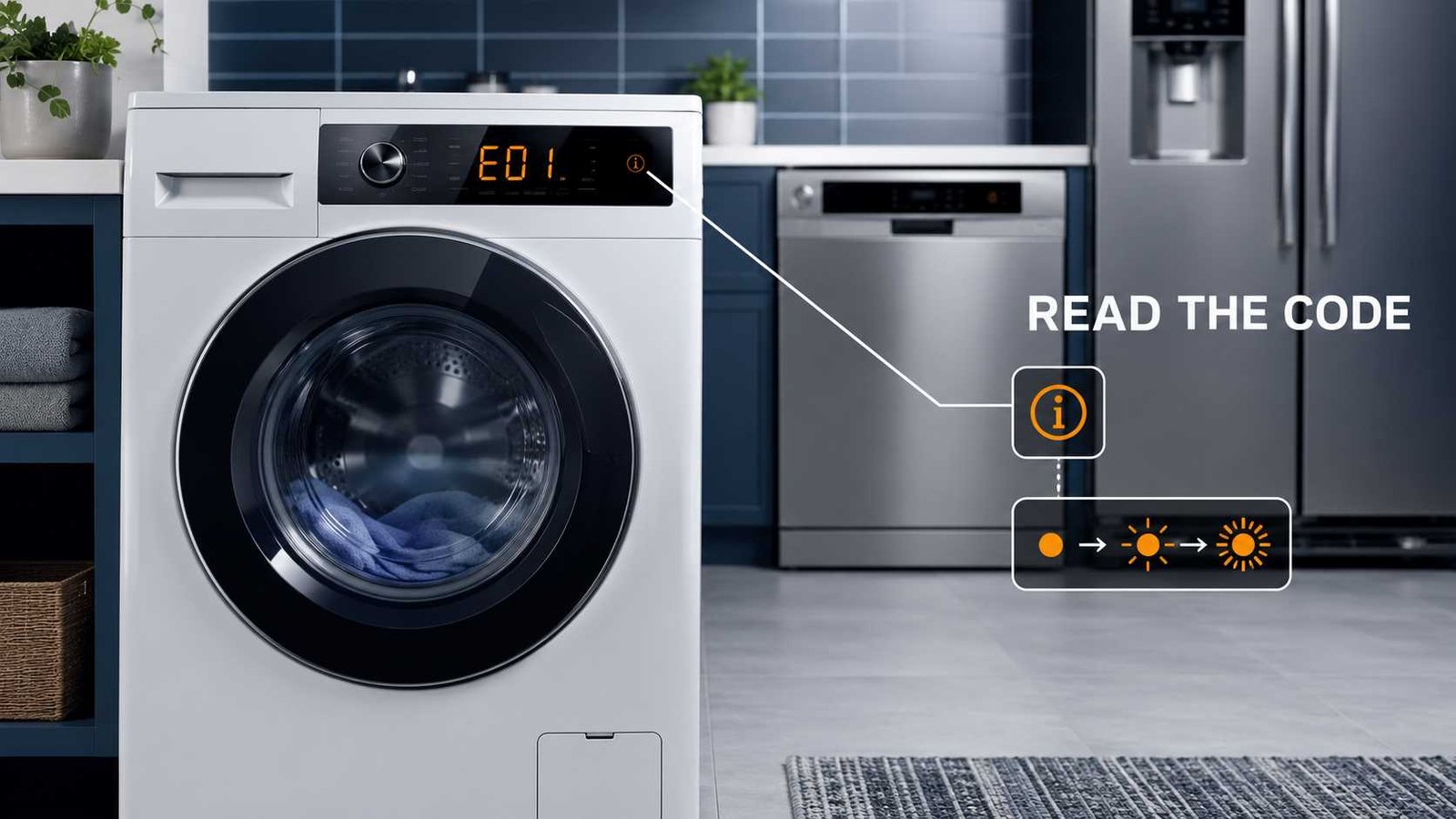
 An appliance error code is a message from the control system, but it is not always a final diagnosis. It may identify a drainage problem, interrupted power, open door, unusual temperature, activated safety system, maintenance reminder, or normal operating function.
Before pressing Reset or switching off the appliance, photograph the complete display. Record every letter, number, space, symbol, flashing light, pause, and beep. Then find the full model number and check the official manual or regional manufacturer support page.
Stop using the appliance if you notice leaking water near electrical parts, smoke, sparks, a burning smell, electric shock, overheating, gas odour, or repeated circuit-breaker trips. Disconnect it only when this can be done safely and contact an appropriately qualified professional. er
| Question | General guidance |
|---|---|
| What is an appliance error code? | A control-system message identifying a detected condition or affected system |
| Is every code a fault? | No. Some displays indicate a setting, reminder, power interruption, or normal function |
| Does a code identify the failed part? | Not necessarily. Further diagnosis may be needed |
| What should I do first? | Photograph and record the complete display before resetting anything |
| Where should I look up the code? | In the manual or official support page for the exact model and sales region |
| Can I reset the appliance? | Only with the model-approved procedure and after recording the message |
| Can I continue using it? | Only when the manual confirms the message is non-hazardous and operation remains normal |
| When is professional help needed? | When the code returns, a safety warning appears, or internal electrical, gas, refrigeration, heating, or control work is required |
What an Appliance Error Code Actually Tells You
Modern appliances use sensors and electronic controls to monitor functions such as water flow, drainage, temperature, motor movement, door position, airflow, power supply, and communication between electronic components.
When the control detects an unexpected condition, it may show:
- Letters and numbers
- A full-word message
- One or more symbols
- A flashing status light
- Several flashing lights
- A sequence of flashes separated by pauses
- Repeating beeps
- A notification in a connected appliance app
The message usually tells you what condition the control detected. It does not always prove why that condition occurred.
For example, a drainage code may appear because of a blocked removable filter, kinked hose, incorrect hose installation, restricted household drain, failed pump, damaged wiring, or control problem. The code identifies the drainage issue, but additional checks may be required before any part can be blamed.
GE describes appliance displays as error, fault, or function codes. Some help technicians narrow the diagnosis, while others indicate conditions such as interrupted power or an active function. Code-Like Display Means Something Is Broken
A display may look serious even when it is showing a normal setting or temporary operating condition.
Possible non-fault messages include:
- Control lock or child lock
- Delay start
- Filter-cleaning reminder
- Drum-clean reminder
- Showroom or demonstration mode
- Active cooling or freezing function
- Cycle interruption
- Excess-suds management
- Wi-Fi connection status
- Power-failure notification
- Door-open reminder
Samsung states that washing-machine icons provide information about what the appliance is doing and are not the same as fault codes. Its guidance also identifies some displayed messages as reminders or operating information rather than failures. milarly documents messages such as LOC, which can indicate that controls are locked, and numbered displays that may represent an activated delay rather than a fault. atters: do not assume that every unfamiliar display requires a repair.
Step 1: Record the Complete Message
Do this before switching off the appliance, changing a setting, opening a filter, or attempting a reset.
Take a clear photograph
Photograph the entire control panel rather than only the code. A wider photograph can capture:
- Which cycle was selected
- Which status lights were on
- Whether a lock or delay symbol was active
- Which buttons were flashing
- The exact position of the message
Take a short video when lights or beeps repeat in a pattern.
Copy the characters exactly
Write down:
- Capital and lowercase letters
- Numbers
- Spaces
- Hyphens
- Slashes
- Whether characters alternate
- Whether two codes appear one after another
F9 E1, F9E1, and 9 flashes followed by 1 flash may represent related information on some products, but you should not assume that they are interchangeable without model documentation.
Record what happened before the message appeared
Useful details include:
- The selected cycle or temperature
- Whether the appliance had just started
- Whether it was filling, heating, spinning, cooling, draining, or drying
- Whether the door was opened
- Whether power was interrupted
- Whether maintenance was recently performed
- Whether a hose, filter, part, or installation was changed
- Whether the appliance made an unusual noise
This information helps separate the displayed symptom from its possible cause.
Step 2: Check for Misread Letters and Numbers
Segmented appliance displays cannot form every letter clearly. A character may look different depending on the viewing angle, display design, or surrounding characters.
Common points of confusion include:
| Display character | May be mistaken for |
|---|---|
5 | S |
3 | E |
0 | O |
1 | I or lowercase l |
8 | B |
C | An incomplete 0 |
d | 0 or 6 on some displays |
Samsung specifically warns that 5 and S can look similar, as can 3 and E. Double-check the photographed display when a code does not appear in the manual. only one interpretation. Try the exact model number with both plausible versions, then compare the official descriptions with the appliance’s behaviour.
Step 3: Read Flashing-Light Sequences Correctly
Some appliances do not have a digital display. They communicate through control-panel lights instead.
Samsung confirms that selected washing machines without digital displays use blinking lights to communicate error information. peating light
A single light may:
- Flash continuously
- Flash a fixed number of times
- Flash only when a button is pressed
- Stay on for several seconds and then switch off
- Flash along with a beep
A flashing Start light, for example, may indicate that a cycle was interrupted rather than an internal failure. Whirlpool documents selected dishwasher models where the Start/Resume light flashes after the door is opened or power is interrupted during a cycle. flash sequence
Some Whirlpool dishwashers use two groups of flashes separated by a pause. One group represents the function number and the other represents the error number.
An illustrative sequence could look like this:
7 flashes → pause → 1 flash → longer pause → repeat
The longer pause identifies the end of the complete sequence. Count the pattern several times before recording it. Whirlpool advises watching for the distinct pause so the two-part sequence can be read correctly. s not universal. Never apply a Whirlpool flashing-code format to another brand unless its official documentation confirms the same system.
Multiple lights flashing together
When several lights flash:
- Record the names of every illuminated button.
- Note whether they start and stop together.
- Watch for one light behaving differently.
- Record any accompanying display characters.
- Consult the control guide for that exact model.
One flashing light may represent a setting. A particular combination may represent a fault. The distinction depends on the control-panel design.
Step 4: Find the Exact Model Number
The appliance brand and visible code are not enough for a reliable lookup.
Manufacturers often use different code definitions across:
- Appliance types
- Product generations
- Control-board versions
- Model families
- Countries
- Retailer-specific models
GE states that not all dishwasher codes are found on all models. Samsung also advises using the specific model manual when a displayed code is not listed on a general support page. del-label locations
The location varies, but model and serial labels are often found:
- Washing machine: inside the door opening, behind the door, or on the rear cabinet
- Dryer: inside the door opening or on the door frame
- Dishwasher: along the side or upper edge of the door
- Refrigerator: inside the fresh-food compartment or on an interior side wall
- Oven or range: around the door frame, storage drawer, or rear panel
- Microwave: inside the door opening or on the rear
- Air conditioner: on the side casing, indoor unit, outdoor unit, or rating label
- Coffee machine: beneath the machine, behind the water tank, or near the service door
- Robot vacuum: underneath the unit or inside the app’s device-information page
Do not remove a fixed appliance or reach behind exposed connections merely to find the label. Check the purchase invoice, registration email, app, product packaging, or manufacturer account first.
Record the complete model number
Do not omit suffixes, slashes, regional letters, or revision characters. Two products with nearly identical model numbers may use different controls or documentation.
Step 5: Confirm the Country of Purchase
A code definition or reset method found on another country’s support site may not apply to your appliance.
Samsung Australia warns that models, sequences, error codes, and settings can vary according to location and where the product was purchased. rt website for the country or region where the appliance was originally sold. This matters particularly when comparing:
- United States and Canadian models
- UK and Irish models
- Australian and New Zealand models
- Imported appliances
- Appliances with similar names but different model suffixes
Regional differences may affect voltage, plugs, water connections, terminology, control layouts, parts, and available service procedures.
Step 6: Use the Right Information Source
Use sources in this order.
1. Exact-model owner’s manual
Start with the troubleshooting, display, warning-light, or information-code section.
The manual is usually the strongest source for:
- Code meaning
- Control-panel symbols
- Approved owner checks
- Reset procedure
- Safety warnings
- Service threshold
2. Official regional manufacturer support
Search using:
Brand + full model number + exact code
For example:
Samsung WW90TA046AE 5E code UK
Including the model and region reduces the risk of applying instructions for a different appliance family.
3. Manufacturer app
A connected app may provide:
- A longer explanation
- A maintenance notification
- Remote diagnostics
- Usage information
- A service reference
Do not assume an app diagnosis confirms a failed component. Treat it as another manufacturer message unless it includes verified test results.
4. Installation and control guides
Installation documents are particularly useful when the code may relate to:
- Drain-hose height
- Water-supply connections
- Vent routing
- Electrical supply
- Door alignment
- Appliance levelling
5. Independent troubleshooting resources
Independent sites can make official information easier to understand, but the code meaning should still be checked against the exact model documentation.
Be cautious when a page:
- Does not identify applicable models
- Gives one universal reset for every appliance
- Claims a particular part is definitely defective
- Provides an undocumented button sequence
- Recommends bypassing a safety system
- Encourages live electrical testing
- Uses the same code definition for several unrelated brands
Common Appliance Error-Code Formats
| Format | Example | What it may represent |
|---|---|---|
| Letter and number | E24 | A detected condition assigned by the manufacturer |
| Two letters | OE | Drainage, level, motor, or another model-specific condition |
| Number and letter | 4C | A manufacturer-specific information code |
| Two-part code | F9 E1 | Function and error combination on selected systems |
| Full word | LOC | Lock status on selected appliances |
| Short message | PF | Power interruption on selected models |
| Symbol | Tap, key, filter, thermometer | Status, maintenance reminder, or warning |
| Flash pattern | Seven flashes, pause, one flash | A coded sequence on selected control panels |
These examples show code structures, not universal meanings.
The same code can mean different things on different brands or even different models from the same brand. Samsung’s US guidance notes that 3E, for example, can indicate a voltage issue on some washing machines and a motor issue on others. The model manual is required to determine which meaning applies. bols and What They Usually Represent
Symbols are not standardised across all manufacturers, but they often fall into a few broad groups.
| Symbol type | Possible meaning | What to do |
|---|---|---|
| Key or padlock | Control lock or child lock | Check the control guide |
| Water tap | Water-supply problem or closed valve | Check the manual before inspecting accessible supply items |
| Filter | Filter reminder or restricted filter | Follow the approved cleaning instructions |
| Thermometer | Temperature status or temperature fault | Stop if overheating or unsafe temperature is indicated |
| Door | Door, lid, or latch condition | Check for trapped items and close the door normally |
| Wi-Fi | Connectivity status | Check the app or network instructions |
| Clock | Delay start or remaining time | Confirm whether a scheduled function is active |
| Brush or sparkle | Cleaning cycle or maintenance reminder | Check the maintenance section |
| Snowflake | Cooling, freezing, or low-temperature function | Check whether it is an active setting |
| Warning triangle | Attention or fault condition | Read the accompanying code or manual warning |
A symbol’s meaning must be confirmed for the specific model. Do not use a generic symbol chart as the only basis for a repair.
Safe Checks a Homeowner Can Make
Once the message has been identified, follow only the checks approved by the manufacturer.
Reasonable external checks may include:
- Confirm that the door, lid, drawer, or tank is fully closed.
- Remove any item visibly trapped around the door seal.
- Check that an accessible water valve is open.
- Look for visible kinks in an external hose.
- Clean a user-removable filter according to the manual.
- Confirm that a dryer lint filter is clean.
- Check that an external air vent is not visibly crushed.
- Redistribute an unbalanced laundry load.
- Confirm that the appliance stands on a stable surface.
- Check whether Control Lock or Delay Start is enabled.
- Confirm whether household power was interrupted.
- Check that removable tanks or trays are seated correctly.
These checks do not require opening panels, touching wiring, moving a heavy fixed appliance, or defeating a safety system.
A code may remain after the simple cause has been removed. That does not mean the check was useless. The appliance may require an approved reset, a completed cycle, or further diagnosis.
Should You Reset the Appliance?
A reset can clear a temporary control problem or remove a stored message after its cause has been corrected. It cannot repair a blocked pump, damaged sensor, leaking hose, failed heater, faulty motor, loose electrical connection, or defective control board.
Record the code first
Resetting may clear information needed for diagnosis. Save:
- A photograph
- A video of flashing lights
- The code in writing
- The cycle stage
- The time the fault occurred
- Recent changes or repairs
Use only the model-approved method
Reset procedures vary.
Whirlpool gives a 30-second power disconnection for selected dishwasher procedures. Samsung describes power cycling selected washing machines by disconnecting power and allowing the electrical charge to clear, generally within one to five minutes. These examples demonstrate why one universal reset time should not be applied to every appliance. edly switch the appliance on and off when:
- Water is leaking
- A leak-protection system is active
- The appliance smells hot or burnt
- A breaker keeps tripping
- Gas can be smelled
- The appliance is overheating
- The same safety code immediately returns
Bosch advises turning off the water inflow and contacting support when selected dishwasher codes indicate that water has activated the leakage-protection system. eans when the code returns
A returning code usually means one of three things:
- The original condition is still present.
- The appliance detected the problem again.
- A deeper fault requires testing.
Do not continue clearing the message without addressing its cause.
Why a Code Does Not Confirm the Failed Part
Suppose a washer reports that water did not drain within the expected time. The control knows that the water level did not fall correctly. It may not know whether the cause is:
- A blocked filter
- A kinked drain hose
- Incorrect installation
- Restricted household plumbing
- A jammed or failed pump
- A water-level sensing problem
- Damaged wiring
- A control fault
Samsung’s official guidance for selected washer drainage codes begins with external checks such as the drain filter, hose condition, and hose installation. Persistent codes may require service. g a part based only on the name of a code. A technician may need to inspect the appliance, perform manufacturer-approved tests, and confirm the electrical or mechanical cause.
What to Do When the Basic Check Fails
Use this sequence:
1. Recheck the code
Compare your photograph with the manual. Confirm letters, numbers, spaces, and flashing pauses.
2. Recheck the model
Make sure the manual belongs to the complete model number and correct country.
3. Check whether the message is a status indicator
Look for active locks, delays, cleaning reminders, demo mode, interrupted cycles, or maintenance alerts.
4. Confirm that the safe check was completed correctly
A filter may look clear while debris remains deeper in an inaccessible hose or pump. Stop at the limit described in the owner’s manual.
5. Perform one approved reset
Do this only when the manufacturer recommends it and no safety condition is present.
6. Stop if the code returns
Record how quickly it returns and what the appliance does immediately beforehand.
7. Arrange professional diagnosis
Provide the technician with:
- Complete model number
- Serial number when requested
- Exact code or symbol
- Photograph or video
- Cycle stage
- Sounds, smells, leaks, or temperature changes
- Recent installation or repair work
- Checks already performed
- Whether the code returned after reset
When to Stop Using the Appliance
Stop troubleshooting and arrange qualified help when you notice:
- Smoke or visible sparks
- Burning, melting, or hot-plastic smell
- Buzzing, crackling, or arcing around the plug or socket
- Electric shock or tingling
- Repeated blown fuses or tripped breakers
- Scorch marks or melted plastic
- Damaged power cable
- Water reaching electrical parts
- Water collecting beneath a built-in appliance
- Overheating warning
- Gas smell
- Combustion or flame problem
- Refrigerant leak concern
- Leak-protection activation
- An instruction to contact service immediately
WorkSafe New Zealand advises immediately disconnecting an appliance that repeatedly blows a fuse, trips a breaker, or gives an electric shock, then having it repaired by a qualified person or replacing it. Electrical Safety First also advises stopping use when there are sparks, smoke, burning smells, heat damage, arcing sounds, or unexplained operation of protective devices. t internal work involving:
- Live voltage testing
- Mains wiring
- Gas valves or burners
- Combustion systems
- Refrigerants
- Compressors
- Microwave high-voltage components
- Safety-device bypassing
- Internal control-board wiring
- Major appliance disassembly
Examples by Appliance Type
Washing machines and washer-dryers
Common messages relate to:
- Water filling
- Drainage
- Unbalanced loads
- Door locking
- Excess foam
- Motor movement
- Water temperature
- Power supply
- Control communication
Some conditions can be checked externally, such as an unbalanced load or accessible drain filter. Motor, heater, control, or internal communication faults usually need further diagnosis.
Dryers and tumble dryers
Messages may relate to:
- Restricted airflow
- Lint-filter reminders
- Door position
- Moisture sensing
- Heating
- Overtemperature protection
- Motor movement
- Water containers on condenser models
Stop using a dryer that smells burnt, overheats, produces smoke, or repeatedly trips protection.
Dishwashers
Common messages concern:
- Water entry
- Drainage
- Door position
- Heating
- leak detection
- circulation
- control locks
- delay start
A flashing light may be a fault sequence, interrupted cycle, unmet sanitising temperature, or locked-control response. Whirlpool documents different meanings for different flashing dishwasher lights, which is why the exact light name and model are essential. tors and freezers
Displays may indicate:
- High internal temperature
- Power interruption
- Door-open condition
- Icemaker issue
- Filter status
- Demo mode
- Enabled rapid-cooling function
GE lists PF as a power-interruption message on selected refrigerators and distinguishes fault codes from function codes. nges, and microwaves
Codes may relate to:
- Temperature sensing
- Door locking
- Control communication
- Keypad input
- Power interruption
- Heating control
Do not open an oven or microwave cabinet. Microwave components can retain dangerous high voltage even after power is disconnected.
Air conditioners and heat pumps
Messages can relate to:
- Temperature sensors
- Condensate drainage
- Indoor and outdoor unit communication
- Fan operation
- Refrigerant-system protection
- Filter reminders
External filter cleaning may be user-level maintenance. Refrigerant, compressor, control-board, and fixed electrical work require appropriate professional service.
Coffee machines
Common messages involve:
- Empty water tank
- Full drip tray
- Brew-unit position
- Descaling
- Blocked coffee path
- Heating
- Water flow
Follow the manufacturer’s cleaning and descaling instructions. Do not use improvised chemicals or open a pressurised or hot internal system.
Robot vacuums
Messages may indicate:
- Obstructed wheels or brushes
- Dirty sensors
- Cliff-sensor condition
- Docking problem
- Battery temperature
- Charging contacts
- Navigation issue
Power the unit off before removing accessible debris. Use only approved batteries and chargers.
Frequently Asked Questions
Can two appliance brands use the same error code for different problems?
Yes. Appliance error codes are manufacturer and model specific. The same letters or numbers may describe unrelated conditions on different brands or product families.
Does an error code tell me exactly which part to replace?
Usually not. It identifies a condition or affected system. A code may have several mechanical, installation, electrical, or control-related causes.
Why can’t I find my code online?
The character may have been misread, the code may be model specific, or the relevant manual may use a different format. Recheck the photograph, full model number, and country of purchase.
Should I reset the appliance as soon as a code appears?
Record the code first. Then follow the exact model’s instructions. Do not reset an appliance showing leakage, overheating, electrical danger, gas, or another safety-related condition.
What if the appliance still works with the code showing?
Check the manual before continuing. Some messages are reminders or function indicators, while others warn that the appliance is operating under an abnormal or unsafe condition.
Why does the code return after a reset?
The detected condition may still exist. A reset can restart the control, but it does not repair a blockage, leak, failed sensor, damaged part, or wiring problem.
How do I read an appliance with no digital display?
Record which lights flash, how many times they flash, whether they flash together, and the length of each pause. Match that exact pattern to the model’s control guide.
Should I enter diagnostic or service mode?
Only when the manufacturer provides an owner-approved procedure for the exact model. Service modes may change settings, activate components, or display technical information that requires trained interpretation.

Ahmad Raza is the website administrator and content operations manager at Error Code Vault. With 11 years of experience in technical publishing, he manages site accuracy, author verification, source quality, updates, user feedback, and editorial compliance.