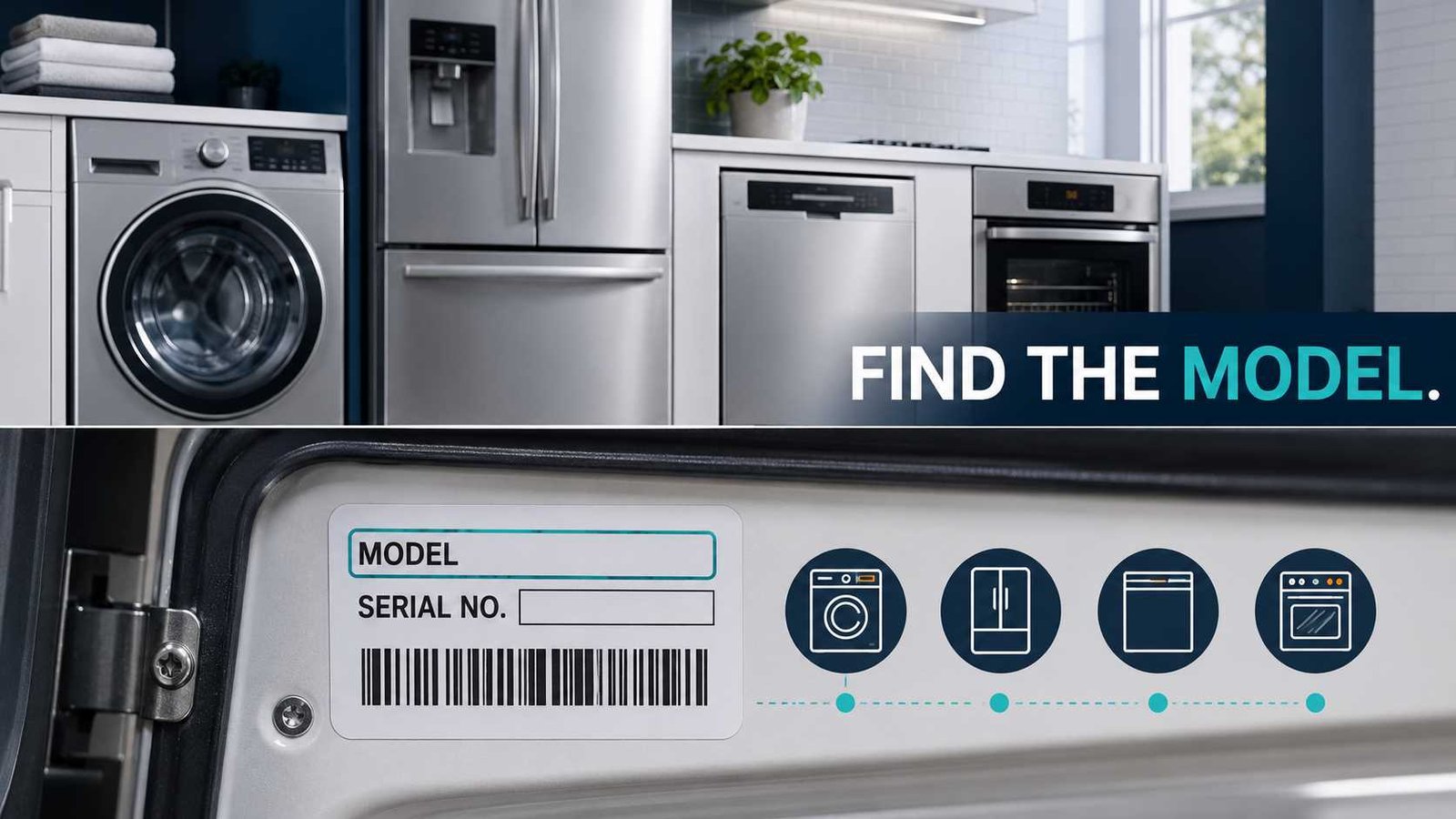
 An appliance model number is normally printed on a rating plate, data label, or identification sticker attached to the appliance. Start by opening the main door, lid, drawer, or refrigerator compartment and checking the frame and interior walls. These locations are easier and safer to inspect than the back or underside.
Copy the complete model number, including any letters, numbers, dashes, slashes, or suffixes. Do not assume the large name printed on the control panel is the model number.
You should not pull out a heavy refrigerator, disconnect a gas cooker, remove an installed hob, or open an appliance panel just to reach a label. Check the manual, purchase documents, warranty records, or manufacturer support service first.
| Question | Answer |
|---|---|
| What am I looking for? | A label marked Model, Model No., Mod., E-Nr, Product Code, PNC, or a similar product identifier |
| Where should I check first? | Around an open door or lid, on an interior wall, or around the appliance opening |
| Is the serial number the same? | No. The model identifies the product type; the serial number identifies the individual appliance |
| Should I copy the entire number? | Yes, including suffixes, slashes, spaces, and version codes |
| Can the number be in the manual? | Sometimes, particularly if the installer or retailer recorded it |
| Should I move the appliance? | Only when it can be done safely and the manufacturer’s guidance allows it |
| When should I stop? | Stop if the appliance is built in, gas-connected, too heavy, unstable, or requires panel removal |
| Why is the number needed? | For manuals, error-code information, parts, service, warranty registration, and recall checks |
Where Is an Appliance Model Number Usually Found?
There is no universal model-number location. Manufacturers place identification labels in different positions depending on the appliance type, installation method, and product generation.
Bosch states that its model number may be printed on a sticker or rating plate, engraved on the appliance, or visible around the door or outer rim. GE and Whirlpool provide separate label-location diagrams for different appliance categories because the position changes between products.
Use this safest-first search order:
- Open the main door, lid, drawer, or compartment.
- Check the door edge and the frame around the opening.
- Look along the interior side walls and ceiling.
- Inspect accessible exterior side panels.
- Check the user manual, receipt, warranty record, and registration documents.
- Consult the manufacturer before moving or removing an installed appliance.
A phone camera and torch can help when the label is positioned low down or behind a door edge. Take a photograph of the whole label instead of trying to copy a long code while crouching beside the appliance.
Appliance Model Number Location Table
The following are common locations, not guarantees. Label positions can change between brands and product series.
| Appliance | First place to check | Other possible locations |
|---|---|---|
| Refrigerator or fridge-freezer | Inside the fresh-food compartment on a side wall | Near the ceiling, behind a crisper drawer, inside the freezer, or on an exterior side |
| Upright freezer | Interior side wall near the top | Door frame or exterior side panel |
| Chest freezer | Interior side wall | Outer rear or side panel |
| Front-load washer | Around the drum opening with the door open | Inside the door, lower front corner, side panel, or rear |
| Top-load washer | Under the lid | Rear of the control panel, side panel, or near the water connections |
| Clothes dryer or tumble dryer | Around the drum opening with the door open | Inside the door, side panel, or rear panel |
| Dishwasher | Top or side edge of the open door | Door frame, tub opening, or side of the door |
| Freestanding oven, cooker, or range | Frame visible when the oven door or lower drawer is open | Door edge, drawer frame, rear control area, or storage compartment |
| Wall oven | Door frame or underside of the control panel | Side trim visible with the door open |
| Cooktop or hob | Underside of the appliance | Inside the cabinet below, installation paperwork, or duplicate data label |
| Microwave | Frame visible when the door is open | Rear, side, or underside |
| Cooker hood or range hood | Inside the filter area when safely accessible | Interior housing or supplied documentation |
| Air conditioner | Exterior side of the indoor or window unit | Rear casing, outdoor unit, or installation documentation |
| Vacuum cleaner | Underside, rear, or battery compartment | Dust-bin compartment or main body label |
| Robot vacuum | Underside of the robot | Battery area, dust-bin compartment, box, or app information |
| Coffee machine | Underside or rear panel | Behind a removable water tank or drip tray where the manual directs |
Official GE and LG guidance places many washer and dryer labels around the door opening. GE lists locations under the lid and behind the controls for selected top-load washers. Refrigerator labels are commonly inside the food compartment, although the side can differ between models and generations.
Dishwasher labels are commonly found around the open door. Bosch uses the rating plate and E-Nr for identification, while LG shows the label on the right side of the open dishwasher door on many models.
What Does an Appliance Model Number Look Like?
A model number usually contains a mixture of letters and numbers. Depending on the brand, it may also contain:
- Dashes
- Spaces
- Full stops
- Forward slashes
- A colour or finish suffix
- A regional code
- A version or engineering number
Look for a field labelled:
- Model
- Model No.
- Mod.
- Model Code
- Model Name
- E-Nr
- Product Type
- Product Code
- PNC
- Prod.No.
Do not select the longest number simply because it looks important. A rating plate can contain the model number, serial number, product number, electrical ratings, manufacturing codes, certification marks, barcodes, and component references.
Copy the Full Code
Do not leave off the final letters or numbers.
Bosch model identification commonly uses an E-Nr, and its support system may also request the FD and Z-Nr. Bosch documentation shows that the full E-Nr can include information after a forward slash.
A suffix may identify a specific market, finish, design revision, control system, or component configuration. Two appliances that look identical from the front may not use the same replacement parts.
Model Number vs Serial Number
The model and serial numbers have different purposes.
| Identifier | What it normally identifies | Common uses |
|---|---|---|
| Model number | The appliance design or product family | Manuals, error codes, troubleshooting, general parts searches |
| Serial number | One individual appliance | Warranty, manufacturing information, service history, and recall eligibility |
| Product code or PNC | A more exact product configuration on selected brands | Parts, service documents, and technical support |
| E-Nr | Bosch and Siemens model identifier | Manuals, support, accessories, and service |
| Part number | One component rather than the complete appliance | Ordering a specific replacement component |
| SKU, UPC, or retailer code | A sales or stock reference | Retail inventory rather than technical identification |
More than one appliance can share a model number. The serial number should normally be unique to the individual unit.
GE specifically advises using the serial number, rather than the model number, when determining an appliance’s manufacturing date. Government recall notices also frequently identify affected products using a combination of model numbers and serial-number ranges.
Where to Find the Number by Appliance Type
Refrigerator and Freezer
Open the refrigerator and check the side walls of the fresh-food compartment. Look near the top shelves and around or behind the crisper drawers.
Whirlpool lists the interior left or right wall as a common location, depending on the refrigerator type. GE also places labels inside the fresh-food or freezer compartment on many models. LG notes that some newer refrigerators use the left interior wall while other units use the right.
Do not pull out a large refrigerator until you have checked all interior locations. Moving it can damage flooring, water lines, electrical cables, or surrounding cabinets.
Front-Load Washing Machine
Open the washer door and inspect:
- The frame around the drum opening
- The inside surface of the door
- The cabinet face hidden by the closed door
- The lower front corner
- Accessible side panels
GE lists the inside door area and lower exterior corner as possible locations. LG commonly places the label on the front panel behind the open door.
Top-Load Washing Machine
Lift the lid and look around the opening, especially near the hinges. Other locations include the rear of the control console, upper side panel, back panel, and area near the water inlets.
GE identifies several of these positions, while LG notes that the label can appear under the lid, on the rear panel, or on the upper side of selected models.
Do not move a washer while it is operating or full of water.
Clothes Dryer or Tumble Dryer
Open the dryer door and check the front face surrounding the drum. The label may be positioned at the top, left, or right side of the opening.
Both GE and LG show the door-opening area as a common dryer label location.
Avoid pulling the dryer forward solely to check the rear label. Moving it can disturb the exhaust duct or, on a gas dryer, the gas connection.
Dishwasher
Open the dishwasher door fully and inspect:
- The top edge
- Left and right door edges
- The door frame
- The tub opening
- The inner face of the door
The label may be difficult to see while the door is closed. Bosch provides appliance-specific rating-plate guidance and may allow users to scan the plate with a phone camera. LG places the tag on the right side of the open door on many dishwashers.
Do not remove an integrated dishwasher from its cabinet just to find the number.
Freestanding Oven, Cooker, or Range
Open the oven door and examine the frame around the cavity. Also open the storage or warming drawer, where fitted, and check the exposed frame.
Possible locations include:
- Left or right oven-door frame
- Lower drawer opening
- Under the upper edge of the oven cavity
- Side of the drawer
- Rear control panel
LG lists several of these positions for gas and electric ranges and wall ovens.
Do not reach behind or pull out a gas cooker. Contact the manufacturer, installer, landlord, or a qualified gas professional when the plate cannot be reached safely.
Wall Oven
The model label may be on the frame visible when the door is open or beneath the control panel. Check both upper and lower cavities on a double oven.
Do not remove trim, mounting screws, or cabinetry. A built-in oven should not be pulled from its housing solely to read the rating plate.
Cooktop or Hob
Cooktop and hob rating plates are often attached to the underside. Open the cabinet below and look upward only when the area is safely accessible and no protective panel must be removed.
For installed hobs, Electrolux recommends checking the technical section of the manual, purchase receipt, or warranty card when the PNC cannot be accessed. Miele states that some hobs have an underside data plate and are supplied with a second plate that can be kept with the operating instructions.
Do not lift or remove an installed gas, electric, or induction hob.
Microwave Oven
Open the microwave door and check the front frame that becomes visible. The number may also be on the rear, side, or underside.
Do not remove a microwave cover or outer cabinet. Microwave ovens can contain hazardous high-voltage components even after they have been unplugged.
Cooker Hood or Range Hood
Switch the hood off and check the accessible interior area described in the user manual. On some products, the rating plate is visible after removing an ordinary washable grease filter.
Do not remove electrical covers, wiring panels, the motor housing, or fixed installation parts.
Air Conditioner
For window and portable air conditioners, check the outer side panel. LG commonly places the model and serial label on the right side when facing the unit.
Split systems may have separate identification labels for the indoor and outdoor units. Record both when requesting parts or technical support.
Do not open an outdoor unit or work around exposed wiring, capacitors, or refrigerant components.
Vacuum Cleaner and Robot Vacuum
Check the underside, rear housing, battery compartment, and dust-container area. LG places identification information inside the battery area on selected vacuum cleaners.
Switch off and disconnect the appliance before removing a battery or dust container. Do not open a sealed battery pack.
Coffee Machine and Small Kitchen Appliances
Check the underside or rear of the appliance. The plate may also be behind an ordinary removable water tank or drip tray.
Unplug the appliance and allow hot surfaces to cool before turning or inspecting it. Never place a coffee machine on its side while it contains water.
Brand-Specific Names You May See
Bosch and Siemens: E-Nr
Bosch uses E-Nr as the model number. The rating plate may also include an FD number, Z-Nr, and serial information. Enter the complete E-Nr when searching for manuals or support.
Electrolux and AEG: PNC or Prod.No.
Electrolux rating plates can include:
- Model number
- Product Number Code or PNC
- ELC or ML code
- Serial number
Electrolux support pages show that the displayed length or format of the PNC can vary between systems and markets. Copy the complete number printed beside PNC or Prod.No., rather than shortening it yourself.
Miele: Product Type and Serial Number
Miele data plates may identify the product type, material number, serial-number index, and serial number. The exact fields depend on the appliance.
Samsung: Model Code or Model Name
Samsung commonly describes the product identifier as the model code or model name. Its support and registration pages show the model and serial information on the appliance label, with the exact position depending on the product.
Fisher & Paykel: Model Code
Fisher & Paykel support uses the term model code and provides category-specific help for locating product information.
GE and GE Profile
GE states that GE and GE Profile model numbers begin and end with a letter. This is a brand-specific identification clue and should not be applied to other manufacturers.
How to Copy the Model Number Correctly
1. Photograph the Entire Rating Plate
Use a phone camera rather than photographing only one line. The manufacturer may later need the serial number, product code, production code, or electrical information from the same plate.
Electrolux advises capturing the whole plate from a straight angle and avoiding glare. Bosch also provides phone-based rating-plate scanning for selected support services.
2. Clean the Surface Gently
Wipe loose dust with a dry or slightly damp soft cloth. Do not use solvents, abrasive cleaners, metal scrapers, or strong chemicals on the label.
Allow the label to dry before taking the photograph.
3. Check Similar Characters
Common reading mistakes include:
- Letter O and number 0
- Letter I and number 1
- Letter S and number 5
- Letter B and number 8
- Letter Z and number 2
Compare several photographs taken from different angles.
4. Include the Suffix
Copy everything in the model field, including:
- Letters at the end
- Numbers after a slash
- Numbers after a full stop
- Dashes
- Spaces
- Regional or finish codes
5. Keep the Serial Number Private
A serial number may be needed by the manufacturer, repair company, warranty provider, or recall service. Avoid posting a clear serial-number photograph publicly unless there is a specific reason to do so.
What to Do if the Label Is Missing or Unreadable
Check the User Manual
Look inside the front or back pages for a handwritten or printed model reference. Installers sometimes place a duplicate label in the manual.
Check the Purchase Documents
Search:
- Retail receipt
- Online order history
- Delivery invoice
- Installation certificate
- Warranty card
- Registration email
- Landlord inventory
- Previous repair invoice
For installed hobs, Electrolux specifically recommends checking the manual, receipt, or warranty documentation when the underside label is inaccessible. Miele also notes that some products include a duplicate data plate.
Check the Manufacturer Account
A previously registered appliance may appear in the owner’s online account. Use this information as a starting point, then compare it with the physical appliance or original paperwork where possible.
Ask the Retailer or Installer
A retailer may still have the model number in the original order record. An installer may also have included it on an invoice, commissioning sheet, or installation certificate.
Contact the Manufacturer
Send the manufacturer:
- Clear photographs of the appliance
- A photograph of the complete rating plate
- Purchase date
- Country of purchase
- Any readable characters
- Appliance type
- Control-panel photograph
The manufacturer may be able to narrow down the product family, but visual appearance alone may not confirm the exact model.
Do Not Guess
Do not order a control board, motor, heating element, gas component, compressor, pump, door lock, or other model-sensitive part based only on the appliance’s colour or appearance.
Should You Move the Appliance?
Moving an appliance should be the last step, not the first.
Do not move it when:
- It is connected to gas
- It is built into cabinetry
- It is too heavy for one person
- The floor could be damaged
- A water line is attached
- The power cable is not accessible
- It may tip or become unstable
- Removal requires screws, trim, or panels to be taken off
For a small freestanding appliance, switch it off, unplug it, empty any water, and allow hot surfaces to cool before checking the underside.
For a refrigerator, washer, dryer, cooker, built-in oven, dishwasher, or air-conditioning system, consult the manufacturer or a qualified service provider when the label cannot be reached safely.
Why the Correct Model Number Matters
Finding the Right Manual
Manufacturers use the model number to match an appliance with its user manual, installation instructions, troubleshooting information, and service resources. Whirlpool and Bosch both direct users to enter a model number to retrieve product-specific support.
Looking Up Error Codes
The same error code can have different meanings on different brands or model families. The complete appliance model number helps you avoid following instructions written for another control system.
Ordering Compatible Parts
Electrolux uses its PNC to identify compatible parts, while Bosch parts and documentation searches use the full E-Nr.
Arranging Repair Service
A service company may request the model and serial number so it can identify the appliance and prepare appropriate documentation or parts. Whirlpool states that these details help its service team identify the product before a repair visit.
Checking Product Recalls
Recall notices can apply only to certain model numbers, serial-number ranges, production dates, or product codes. For example, official recalls published in the United States, Canada, Australia, and the United Kingdom have required owners to compare both model and serial information.
Common Model Number Mistakes
Using the Name Printed on the Front
A name displayed on the control panel may identify a product series or feature rather than the exact model.
Copying the Serial Number
Check the field label carefully. A serial number identifies the individual appliance, not the general product model.
Leaving Off the Final Characters
A short or incomplete model number may return the wrong manual or incompatible parts.
Copying a Component Part Number
Numbers on a filter, tray, motor, control board, battery, water tank, or door component may identify only that part.
Using the Barcode Number
The number below a barcode may be a serial number, stock code, product code, or another identifier. Read the printed field name instead of relying on the barcode position.
Using a Retailer SKU
A shop’s catalogue or stock number may not be accepted by the manufacturer.
Recording Only One Part of a Multi-Unit System
Some systems have separate indoor and outdoor units or separate stacked appliances. Record the label from each unit when requesting support.
Frequently Asked Questions
Is the model number the same as the serial number?
No. The model number identifies the appliance design or product family. The serial number identifies an individual unit and may also be used for manufacturing-date, warranty, service, or recall information.
Where is the model number most commonly located?
The first place to check is around an open door or lid. Also inspect the interior side walls, door frame, drawer opening, and accessible exterior panels.
Is the number printed on the front the model number?
Not necessarily. Front-panel wording often shows a brand, series, feature, or marketing name. Use the model field on the rating plate.
Does the model-number suffix matter?
It can. Final letters or numbers may identify a regional version, finish, production revision, or component configuration. Copy the complete code exactly as printed.
Can I find the model number without moving the appliance?
Usually, yes. Check the door opening, interior walls, lid, drawers, manual, receipt, warranty documents, and manufacturer registration record before considering movement.
What should I do if the label has faded?
Take several well-lit photographs from different angles. Gently remove surface dust, check the original documents, and contact the manufacturer with every character that remains visible.
Can a manufacturer identify the model from the serial number?
Sometimes, but this varies by manufacturer and database. Contact the brand directly rather than relying on an unofficial online decoder.
Do I need both the model and serial number for a recall check?
Often, yes. Some recalls cover an entire model, while others apply only to specific serial ranges, production dates, or product codes. Follow the exact identification instructions in the official recall notice.

Ahmad Raza is the website administrator and content operations manager at Error Code Vault. With 11 years of experience in technical publishing, he manages site accuracy, author verification, source quality, updates, user feedback, and editorial compliance.