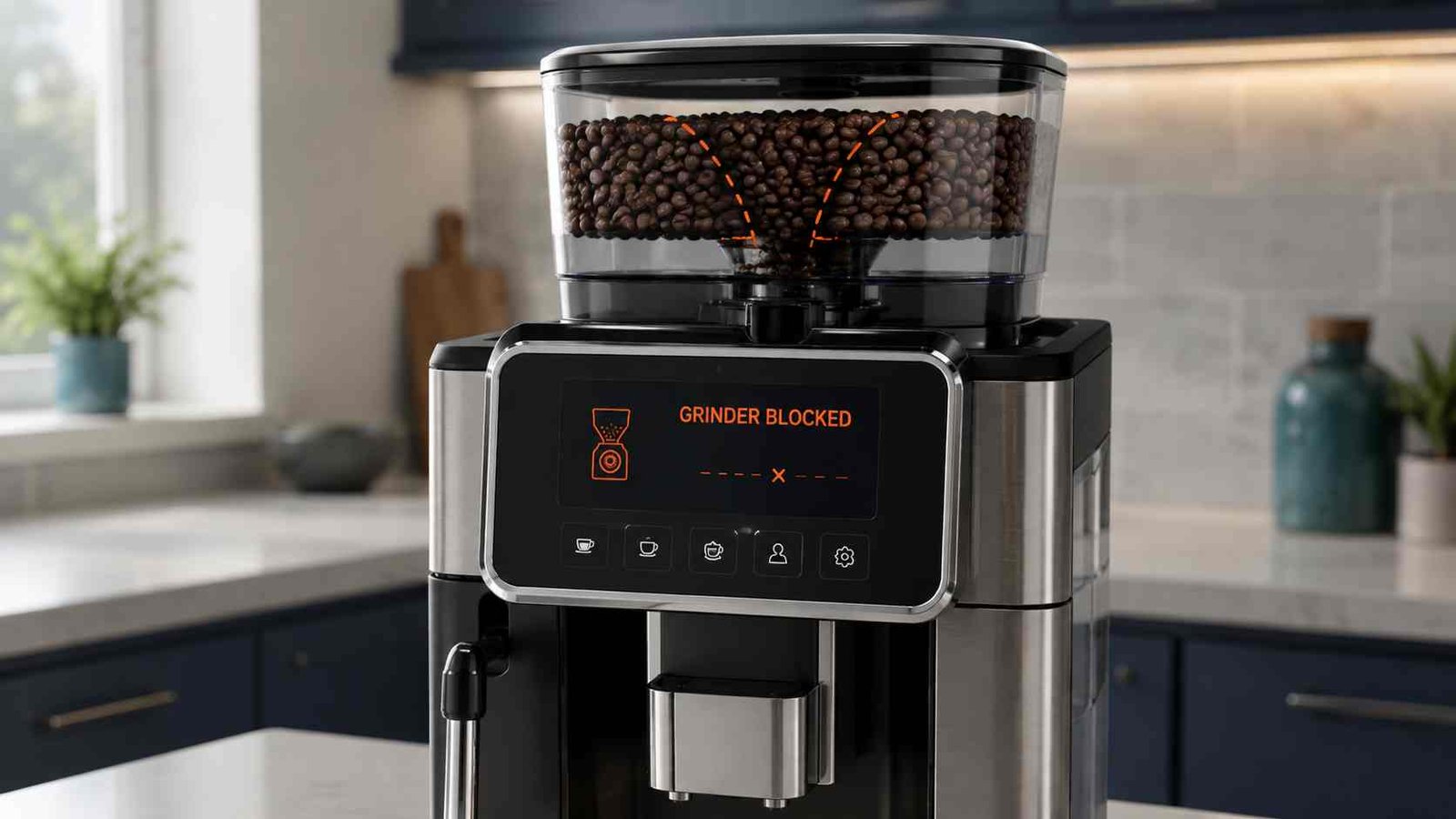
 A blocked coffee machine grinder usually means that beans, compacted coffee, moisture, or a foreign object is preventing coffee from moving through the grinding system. However, the blockage may not be inside the burrs themselves. On some Philips, Saeco, and Gaggia machines, a grinder warning can actually point to a clogged ground-coffee funnel below the grinder.
Switch the machine off through its normal power button, wait until all operating sounds stop, and unplug it before inspecting the bean hopper or removable grinder parts. Stop using the machine immediately if the grinder makes loud crunching noises, smells burnt, or repeatedly stalls. These symptoms may indicate a stone, damaged burr, drive problem, or overheating motor.
| Item | Details |
|---|---|
| Problem | Coffee machine grinder is blocked, jammed, noisy, or producing no grounds |
| Applies to | Bean-to-cup machines and espresso machines with integrated grinders |
| Most likely causes | Blocked coffee chute, compacted grounds, foreign object, moisture, oily beans, or poor bean feeding |
| Safe first action | Switch off, unplug, empty the hopper, and inspect only user-accessible parts |
| Can you keep using it? | No, not if it makes crunching noises, stalls, smells burnt, or displays a persistent grinder fault |
| Typical difficulty | Easy if the hopper or chute is blocked; professional repair may be needed for internal motor or drive faults |
| Reset required? | A restart may clear overheat protection, but it cannot remove a physical blockage |
| Call for service when | The object is stuck, the burrs will not move, the error returns, or internal access is required |
What Does a Blocked Coffee Machine Grinder Mean?
A blocked grinder message can describe several different faults. Identifying the location of the obstruction helps prevent unnecessary dismantling.
Burr or grinder-chamber blockage
Coffee particles or a small foreign object may become trapped between the grinding burrs. The grinder may hum, click loudly, stop suddenly, or fail to rotate.
De’Longhi says that a very noisy grinder that does not grind may contain foreign material that entered with the beans. Sage also lists a blockage or foreign object as a likely cause of unusually loud grinder noise.
Ground-coffee chute blockage
The grinder may be working normally while compacted coffee prevents the grounds from reaching the brew unit or portafilter.
A Sage manual lists a blocked grinder chamber or chute when no ground coffee comes from the grinder. De’Longhi identifies a clogged grinder funnel on selected La Specialista machines when the filter remains empty after grinding.
Coffee-funnel blockage below the grinder
On selected Philips and Saeco fully automatic machines, Error 01 or E01 means the grinder cannot operate correctly because ground coffee is blocking the coffee funnel. The burrs may not be the part that needs cleaning.
Beans not feeding into the grinder
Beans can stick to the hopper walls or form a bridge above the grinder opening. This is more likely with very oily beans, unusually large beans, or a blend containing different bean sizes.
Miele notes that dark oily beans can cling to the bean-container walls. It also explains that large or differently sized beans may wedge together and form bean bridges, restricting the supply to the grinder.
Diagnose the Blockage by Its Symptoms
| What you notice | Likely problem | Safe first check |
|---|---|---|
| Grinder runs but no grounds appear | Blocked chute, funnel, or bean feed | Check the hopper and model-approved coffee chute |
| Grinder hums but does not rotate | Burr obstruction or drive fault | Stop the machine and inspect for visible debris |
| Loud crunching or clicking | Stone, plastic fragment, or damaged burr | Switch off immediately and do not keep testing |
| Hopper is full but machine reports no beans | Bean bridge or bean-detection issue | Check whether beans are dropping toward the grinder |
| Grinder starts and then machine shuts down | Overheating or stalled grinder | Unplug and allow the machine to cool |
| Machine works with pre-ground coffee only | Grinder, hopper, or chute problem | Check the bean path before assuming a brew-unit fault |
| Very little coffee is ground | Oily beans, restricted chute, or incorrect setting | Clean the dry bean path and verify the grind setting |
| Grounds are damp or clumped | Moisture in grinder chamber or chute | Stop using it until all accessible grinder parts are dry |
Common Causes of a Blocked Coffee Grinder
1. Compacted ground coffee
Fine coffee particles can collect in the outlet chute or funnel. Oils in the coffee gradually bind these particles together until grounds can no longer move freely.
Philips recommends cleaning the coffee funnel weekly on affected machines. Its support guidance also warns against spilling water into the bean container because moisture can contribute to funnel blockage.
2. A stone or foreign object
Occasionally, a small stone, hard fragment, or piece of plastic may be present among the beans. The grinder often becomes much louder when this happens.
De’Longhi advises switching off and unplugging the machine before inspecting the grinder. Miele gives stricter guidance for its machines: switch the machine off immediately and contact technical service when a foreign object is suspected. Follow the instruction for your exact model.
3. Water or moisture
Water spilled into the hopper can cause coffee particles to swell, clump, and stick inside the grinding chamber or chute.
Sage identifies water or moisture in the grinder chamber as a cause of no ground coffee being produced. Miele and Philips also warn against pouring liquids into the bean container.
4. Oily or treated beans
Dark roasted beans often have more surface oil. The oil can coat the hopper and interfere with bean movement.
Beans treated with sugar, caramel, flavouring, or other additives can leave sticky deposits. Miele and JURA both warn against treated or caramelised beans, while Miele also advises trying a less oily bean if the existing beans are not dropping properly.
5. Bean bridging
Bean bridging occurs when beans wedge together above the grinder entrance. The hopper appears full, but little or no coffee reaches the burrs.
Do not put your fingers or a spoon into the hopper while the grinder is running. Miele warns that the moving grinder presents an injury risk. Any bean movement or cleaning should be done only after the machine has stopped and has been safely disconnected where the manual requires it.
6. Grind setting is too fine
A very fine setting may restrict the movement of grounds or place additional load on the grinder. It can also cause a separate “ground too fine” or weak-flow problem.
Grind-setting procedures are model-specific. Philips instructs users of affected machines to change the setting only while the grinder is operating and to move the control one notch at a time. Do not apply that procedure to another brand unless its manual gives the same instruction.
7. Grinder overheating
A stalled or overloaded grinder can trigger thermal protection. Sage states that a machine may stop operating when the grinder or pump overheats and recommends switching it off, unplugging it, and allowing approximately 30 to 60 minutes for cooling.
8. Internal mechanical or electrical failure
The problem may remain after cleaning if the burr carrier, motor, gearbox, rotation sensor, wiring, or control electronics are damaged.
These components require internal access and diagnostic testing. Do not remove the machine casing or attempt live electrical tests. Miele warns that opening the outer casing and tampering with electrical or mechanical parts can cause electric shock or operational faults.
Safety Steps Before Cleaning
Safety warning: Stop immediately if the grinder makes crunching noises, smells hot or burnt, repeatedly stalls, or contains an object that cannot be removed easily.
Before checking the grinder:
- Cancel the drink cycle.
- Switch the machine off with its normal power control.
- Wait until all rinsing, repositioning, and operating sounds have stopped.
- Unplug the machine before reaching into the hopper area or removing accessible grinder parts.
- Allow hot dispensing parts to cool.
- Keep fingers away from the burrs.
- Do not pour water, descaler, detergent, or liquid grinder cleaner into the bean hopper.
- Remove only parts that the user manual identifies as removable.
- Do not force a stuck burr, adjustment dial, foreign object, or hopper.
- Stop if the repair requires removing the machine casing.
The burr edges can be extremely sharp. Sage specifically warns users to take care when cleaning accessible conical burrs.
How to Clear a Blocked Coffee Machine Grinder
These steps are intentionally general. Use the model manual whenever its instructions differ.
Step 1: Record the code and symptoms
Before switching the machine off, note:
- The exact error code or message
- Whether the grinder is silent, humming, or unusually loud
- Whether any grounds reach the brew group or portafilter
- Whether beans are moving downward
- Whether water recently entered the hopper
- Whether the problem began after changing coffee beans
Also record the complete model number. Similar-looking machines from the same brand may have different grinder designs.
Step 2: Switch off and unplug the machine
Use the normal power button first and wait until the machine is quiet. Philips advises waiting about 15 to 20 seconds on affected fully automatic machines before removing the brew group. After normal shutdown, unplug the machine before inspecting the hopper or accessible burr area.
Step 3: Empty the bean hopper
Remove the beans using the method approved for your machine. A small vacuum cleaner may be suitable for dry, loose beans or coffee residue when the manufacturer allows it.
De’Longhi recommends removing beans with a vacuum before checking for visible foreign material on many non-electronic grinder models. Miele also allows vacuuming loose residue from selected bean containers during cleaning.
Do not vacuum hot, wet, or smouldering material.
Step 4: Check for a bean bridge
With the machine stopped and safely disconnected, look for beans wedged above the grinder inlet.
Gently loosen beans using only the method permitted in the manual. Do not insert anything while the grinder is running. If the beans are very oily, empty the hopper and clean it with a dry, soft cloth before trying a less oily, untreated roast.
Step 5: Inspect for a visible foreign object
Use a light to inspect the accessible grinder entrance. Do not place fingers between the burrs.
If the object is clearly visible and can be removed without force using the model-approved procedure, remove it carefully. De’Longhi warns not to force an object that is stuck. For selected machines with electronic grinders, including examples named by De’Longhi, the manufacturer directs owners to a service centre instead.
Miele advises immediate shutdown and technical service when stones or plastic fragments are suspected.
Step 6: Clean removable grinder parts
Some Sage and Breville espresso machines have a user-removable hopper and upper burr. Their manuals describe emptying the hopper, running the grinder empty, removing the upper burr, and cleaning the burrs and chute with the supplied brush.
This procedure is not universal. Do not try to pull out a burr that the manual does not identify as removable. The burrs are sharp, and incorrect alignment can prevent reassembly or alter the grind setting.
Use a dry grinder brush rather than water unless the manual specifically states that a removed component is washable.
Step 7: Clear the coffee chute or funnel
The correct access point depends on the machine.
Philips and Saeco
On affected Philips and Saeco machines:
- Switch the machine off and wait until it is quiet.
- Remove the brew group.
- Access the pre-ground coffee funnel from above or the coffee funnel from below, depending on the model.
- Use the handle of the supplied coffee spoon or another manual-approved tool to loosen compacted grounds.
- Vacuum away the fallen dry coffee.
- Reinstall the brew group.
- Prepare one espresso and check whether the funnel remains clear.
Philips and Saeco recommend repeating the procedure if grounds are still obstructing the funnel.
De’Longhi La Specialista
On selected La Specialista machines, an empty filter after grinding can indicate a clogged grinder funnel. De’Longhi directs users to clean the grinder and, if necessary, access the designated hatch and clear the funnel with the supplied brush. Follow the guide for the exact La Specialista version.
Sage and Breville
On applicable machines with removable conical burr components, use the supplied brush to clear the grinder chamber and chute after removing the hopper and upper burr as directed in the manual.
Step 8: Deal with moisture safely
Do not test the grinder while accessible components are damp.
Empty the hopper, remove only approved removable parts, and allow the grinder chamber and chute to dry completely. Sage states that burrs should be thoroughly dry before reassembly. Its manual mentions airflow as a drying option, but avoid high heat and follow the exact product instructions.
Contact service if a large quantity of water entered the machine or may have reached internal electrical components.
Step 9: Reassemble and test
Reinstall the burr, hopper, brew group, access door, and other parts in their correct positions.
Add only a small quantity of plain, dry, roasted beans. Run one grinding or brewing cycle while listening carefully.
Stop the test immediately if:
- The grinder crunches or clicks loudly
- The motor hums without turning
- The error returns
- The machine switches itself off
- You notice smoke or a burning smell
Brand and Model Differences
| Brand or family | Common grinder-related condition | Important guidance |
|---|---|---|
| Philips | Error 01 or grinder turns without producing grounds | Check the coffee funnel and adjust grind only as instructed for the model |
| Saeco | E01 on selected automatic machines | Ground coffee may be blocking the funnel below the grinder |
| Gaggia automatic machines | Error 01 on selected models | Manuals may direct users to clean the coffee outlet duct |
| De’Longhi bean-to-cup | Loud grinder that does not grind | Check for visible foreign material; do not force it |
| De’Longhi La Specialista | Grinder runs but filter remains empty | Clean the grinder funnel using the model-specific access point |
| Sage/Breville | No grounds, loud noise, moisture, or overheat shutdown | Some machines have removable upper burrs and a defined cleaning procedure |
| Miele | Loud grinder or poor bean feeding | Foreign objects generally require service; oily or large beans may restrict feeding |
| JURA | Poor feeding or grinder concerns | Use roasted, untreated beans and follow the exact model instructions |
On Gaggia Anima and selected related machines, Error 01 is described as a coffee-grinder or outlet-duct problem, with the manual directing users to clean the coffee outlet duct. The code should not be assumed to have the same meaning on every Gaggia machine.
Should You Change the Grind Setting?
Changing the grind setting can help in limited circumstances, but it is not the first response to every blockage.
A coarser setting may reduce resistance when:
- Coffee has been set extremely fine
- Grounds are compacting in the chute
- The manufacturer specifically recommends a coarser setting
- A visible object may be released by opening the burr spacing
However, adjustment rules differ:
- Philips instructs owners of affected models to turn the grinder adjustment control only while the grinder is operating and only one notch at a time.
- De’Longhi says that on certain non-electronic grinder models, the grind size may be moved toward a larger setting when a visible obstruction is difficult to remove. The object still must not be forced.
- Some grinders must be empty before adjustment, while others must be running.
Use the procedure stated in the manual for the exact model. Forcing an adjustment control while the burrs are stationary may jam or damage certain grinders.
Can You Reset a Blocked Coffee Grinder?
A basic restart can clear a temporary electronic or thermal condition, but it cannot remove compacted coffee, moisture, a stone, or another physical obstruction.
To perform a safe basic restart:
- Switch the machine off normally.
- Wait until all machine movement stops.
- Unplug it.
- Leave it disconnected for several minutes.
- If overheating is suspected, allow at least the cooling period stated in the manual.
- Reconnect and test only after the bean path has been checked.
Sage recommends 30 to 60 minutes of cooling when its safety thermal cut-out has activated because the grinder or pump overheated.
Do not repeatedly reset and restart a grinder that hums, crunches, or stalls. Repeated attempts can place further strain on the motor or drive mechanism.
What If the Grinder Is Still Blocked After Cleaning?
A recurring blockage can point to more than leftover coffee.
Possible causes include:
| Possible part or area | Typical symptom | Next action |
|---|---|---|
| Bean hopper gate | Beans do not reach the burrs | Check hopper installation and visible gate movement |
| Upper or lower burr | Grinder jams or produces uneven particles | Use only model-approved burr cleaning |
| Grinder chute | Motor runs but no grounds appear | Clear the chute according to the manual |
| Coffee funnel | Error 01/E01 or grounds collect inside | Clean through the designated funnel access |
| Burr carrier or drive | Motor sounds abnormal and burrs do not rotate | Professional diagnosis |
| Grinder motor | Silent, overheated, or repeatedly stops | Professional diagnosis |
| Rotation sensor | Grinder runs but fault remains | Professional diagnosis |
| Control board or wiring | Intermittent or persistent grinder error | Professional diagnosis |
Do not remove the outer casing to inspect the motor, wiring, sensor, or control board. These are technician-level checks involving electrical and moving components.
How to Prevent Another Grinder Blockage
Use these habits to reduce future blockages:
- Fill the hopper only with dry, roasted coffee beans.
- Avoid caramelised, sugar-coated, flavoured, green, or visibly wet beans.
- Try a less oily roast if beans repeatedly stick to the hopper walls.
- Keep the bean hopper away from water when filling the water tank.
- Clean the hopper with a dry cloth.
- Brush or vacuum the approved dry coffee path at the interval specified by the manufacturer.
- Do not overfill the hopper.
- Check bean bags for visible debris before filling the machine.
- Change the grind setting only by the method specified in the manual.
- Clean the Philips or Saeco coffee funnel regularly when applicable.
Miele and JURA specify roasted, untreated beans, while Philips recommends weekly funnel cleaning for affected espresso machines.
When to Call a Coffee Machine Technician
Stop homeowner troubleshooting and arrange service when:
- A stone or foreign object cannot be removed easily
- The burrs remain locked after accessible parts are cleaned
- The grinder hums but does not rotate
- A burning smell is present
- The machine trips a circuit breaker
- The grinder repeatedly overheats
- Error 01 or another grinder fault returns immediately
- The hopper and chute are clear but no grounds are produced
- The machine has an enclosed electronic grinder
- Internal casing removal is required
- Water entered the internal machine body
- The machine remains under warranty
Provide the technician with the model number, displayed error, sound description, bean type, and troubleshooting steps already completed.
Frequently Asked Questions
Why is my coffee machine making a grinding noise but not grinding beans?
A stone, hard fragment, compacted grounds, or blocked chute may be preventing the burrs from turning or the grounds from leaving the grinder. Switch the machine off and inspect only accessible parts. Do not continue testing if the sound is unusually loud or crunchy.
Can oily coffee beans block the grinder?
They can restrict bean feeding and contribute to residue build-up. Miele notes that oils from dark-roasted beans can cling to bean-container walls and prevent beans from dropping properly. Try cleaning the dry hopper and using a less oily, untreated bean.
Can I pour water into the grinder to clean it?
No. Do not pour water or liquid cleaner into the bean hopper or grinder. Moisture can cause grounds to clump and may damage electrical or mechanical components. Philips and Miele specifically warn against liquids in the bean container.
Why does my coffee machine say the hopper is empty when it contains beans?
The beans may be stuck to the hopper walls or bridged above the grinder inlet. Empty and dry-clean the hopper, then try a small amount of less oily beans. A bean sensor or internal feed fault is possible if the problem continues.
Does Error 01 always mean the grinder is jammed?
No. On selected Philips and Saeco machines, Error 01 or E01 means the grinder cannot work properly because the coffee funnel is blocked with ground coffee. Other brands and models may use 01 for a different condition.
Can I use a vacuum cleaner on a coffee grinder?
Some manufacturers permit a vacuum for removing dry beans and loose coffee residue from accessible areas. Philips, Saeco, De’Longhi, and Miele include vacuum use in selected cleaning or troubleshooting instructions. Confirm that it is allowed for your model, unplug the machine, and never vacuum liquid or hot material.
Should I adjust the grinder while it is running?
Only when the manufacturer specifically requires it. Philips tells owners of affected models to adjust the grind setting while the grinder is operating and to move it one notch at a time. Other grinders may require a different procedure.
Why does the grinder work again after cooling down?
The machine may have activated thermal protection because the grinder or pump overheated. Sage advises switching off, unplugging, and allowing 30 to 60 minutes of cooling on affected machines. A repeated shutdown suggests an unresolved blockage or component fault.

Emily Carter is an Australian home-appliance safety editor with 9 years of experience researching washers, air conditioners, refrigerators, and coffee machines. She checks troubleshooting steps for accuracy, regional model differences, and homeowner safety before publication.