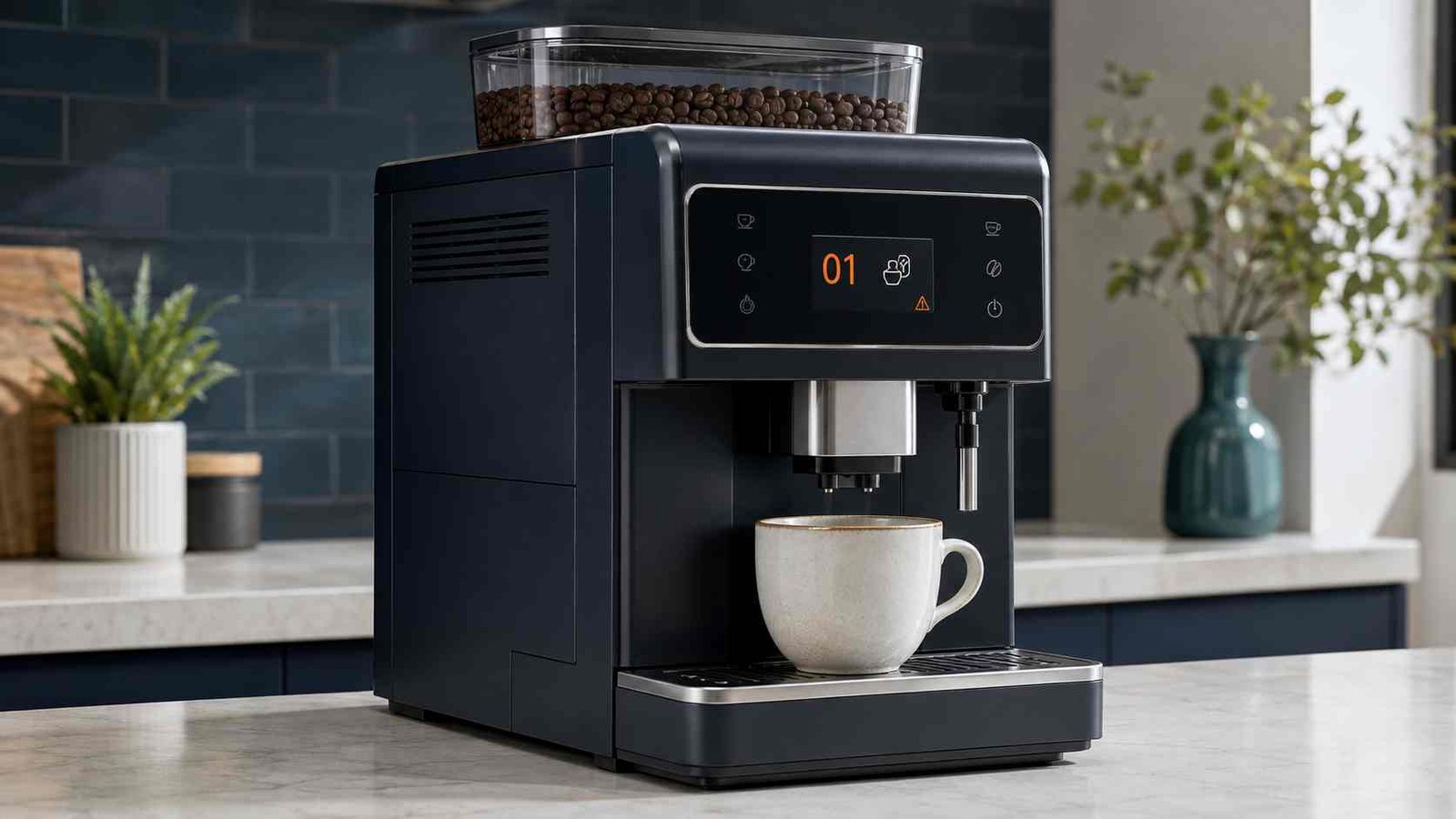
 Philips Coffee Machine Error 1, also displayed as Error 01 or E01, usually means the grinder cannot work correctly because ground coffee is blocking the coffee funnel. The funnel carries freshly ground coffee from the grinder toward the removable brew group.
The safest first step is to switch off the machine, wait until it becomes completely quiet, unplug it, and inspect the coffee funnel for compacted grounds. Philips recommends clearing the blockage with the handle of the supplied coffee spoon and removing loose dry coffee with a vacuum cleaner.
Do not keep starting brew cycles while the code remains active. Stop immediately if you notice water inside the bean hopper, damaged parts, an electrical smell, or a harsh mechanical noise.
| Item | Details |
|---|---|
| Error code | 1, 01, or E01 |
| Meaning | Coffee grinder error caused by a blocked coffee funnel |
| Appliance | Selected Philips and Philips Saeco fully automatic espresso machines |
| Most likely cause | Compacted ground coffee in the funnel |
| Safe first check | Switch off, unplug, remove the brew group, and inspect the funnel |
| Basic tools | Supplied coffee spoon and a dry vacuum cleaner |
| Repair difficulty | Usually an easy cleaning task |
| Can the machine still be used? | Do not force further brewing until the error clears |
| Professional help required | When the error returns after careful cleaning or the grinder remains unable to operate |
What Does Philips Coffee Machine Error 1 Mean?
Philips officially describes Error Code 01 as a coffee grinder error. It appears when the grinder cannot work as expected because ground coffee has blocked the coffee funnel.
This does not automatically mean that the grinder motor has failed. The first diagnosis should be a blocked coffee path, not a defective grinder assembly.
The same fault may appear in several formats:
| Display format | Likely meaning |
|---|---|
| Error 1 | Grinder or coffee-funnel blockage |
| Error 01 | Grinder unable to work because the funnel is blocked |
| E01 | Equivalent format used on selected Philips Saeco machines |
| Service symbol with 1 | Model-specific presentation of the same general fault |
Saeco also describes E01 as a situation in which the grinder cannot operate properly because the coffee funnel is blocked with ground coffee.
Which Philips Coffee Machines Use Error 1?
Error 1 mainly applies to fully automatic bean-to-cup espresso machines with an internal grinder and removable brew group.
Philips’ current support page lists selected models such as:
- EP4321/54
- EP4347/94
- EP5447/94
The guidance may also apply to other compatible Philips and Philips Saeco models, but the location of the funnel and the way the code appears can differ.
Do not assume the same meaning applies to every Philips product. Senseo pod machines, L’OR capsule machines, filter coffee makers, and manual espresso machines use different warning systems.
How to Find the Model Number
On many Philips and Saeco fully automatic machines, the product label is located inside the service door. Some manual machines have the label underneath the appliance.
Record the complete model number, including the characters after the slash, before downloading a manual or contacting support. Regional versions may look similar while using different model suffixes.
Common Causes of Error Code 01
1. Compacted Coffee in the Funnel
This is the primary cause identified by Philips. Ground coffee can collect inside the narrow funnel and become compacted until coffee can no longer travel freely toward the brew group.
2. Coffee Blocking the Grinder Outlet
The visible upper section of the funnel may look clean while coffee remains lodged farther down the passage. Philips therefore recommends working through the funnel and vacuuming from one opening while covering the other opening.
3. Moisture in the Bean Hopper
Philips specifically warns users not to pour or spill water into the coffee-bean container. Moisture can make dry coffee particles clump together and increase the chance of another blockage.
4. A Persistent Grinder Problem
A code that remains after the funnel has been cleaned may require professional diagnosis. Philips’ public guidance does not identify one universal replacement part for every persistent Error 01 case.
The fault could depend on the exact model and should not be diagnosed from the code alone. Contact Philips or an experienced automatic coffee-machine technician instead of dismantling the grinder.
Safety Checks Before Troubleshooting
Before opening the service door:
- Cancel any active drink cycle.
- Switch off the coffee machine.
- Wait approximately 15 to 20 seconds until all internal movement and noise have stopped.
- Unplug the machine before placing your hand or a cleaning tool near the coffee funnel.
- Let hot parts cool if the machine was recently brewing.
- Keep water away from the bean hopper and dry coffee path.
Philips manuals instruct users to unplug the machine before checking the coffee funnel. Philips support also says to wait until the appliance is fully quiet before removing the brew group.
Safety warning: Do not open the outer casing, dismantle the grinder, test live wiring, bypass a safety switch, or pour water through the coffee funnel.
How to Fix Philips Coffee Machine Error 1
Step 1: Switch Off and Unplug the Machine
Press the power button and allow the machine to complete its shutdown movement. Wait until it is fully quiet, which may take about 15 to 20 seconds.
Unplug the power cord before continuing.
Removing the brew group too early can make it difficult to take out or reinstall because its internal position may not yet be correct.
Step 2: Remove the Brew Group
Open the service door. Depending on the model, you may first need to remove the water tank, drip tray, grounds container, or coffee-residue drawer.
Press the marked release point on the brew group and pull the group out using its handle. Do not use excessive force. Check your model’s manual when the brew group does not release normally.
Step 3: Locate the Coffee Funnel
Machines with a pre-ground coffee compartment usually provide access through the opening at the top.
Open the pre-ground compartment lid and look into the funnel. On models without this opening, Philips says the funnel may be reached from below after removing the brew group.
Step 4: Loosen the Blocked Coffee
Insert the handle of the supplied coffee-measuring spoon into the funnel.
Move the handle gently up and down. Continue until compacted coffee begins falling from the lower opening. A firm movement may be needed, but do not strike the funnel or force a tool beyond its natural path.
Avoid knives, screwdrivers, drill bits, wire, or other sharp metal objects. They may damage the plastic funnel or nearby components.
Step 5: Remove the Loose Grounds
Use a vacuum cleaner to collect the dry coffee that has fallen into the brew-group compartment.
Philips also recommends placing the vacuum nozzle against one end of the coffee funnel while covering the opposite end with your hand. This helps draw loose coffee through the passage.
You can vacuum from:
- The lower funnel outlet while covering the upper opening
- The upper opening while covering the lower outlet
Only vacuum dry grounds while the machine is switched off and unplugged. Do not use a wet vacuuming method or introduce liquid into the passage.
Step 6: Reinstall the Brew Group
Remove any remaining loose grounds from the service area.
Check that the brew group is in its normal insertion position, then slide it along the guide rails until it locks into place. Do not press the release button while inserting it unless your model manual specifically says otherwise.
Reinstall the residue drawer, grounds container, drip tray, water tank, and other items you removed. Close the service door completely.
Step 7: Restart and Test the Machine
Reconnect the power and switch on the machine.
Once it is ready, prepare one espresso. Philips recommends checking the funnel again after the test drink to confirm that ground coffee is moving through it normally.
When coffee immediately builds up again, repeat the approved cleaning process once.
Step 8: Stop if Error 1 Returns
If Error 1 returns after the funnel has been carefully cleared, stop repeated testing.
A persistent error needs model-specific diagnosis. Contact Philips support or a technician familiar with fully automatic espresso machines rather than opening the grinder or electrical housing.
How to Reset Philips Error 1
Philips does not provide a universal button combination for resetting Error 1.
The normal clearing procedure is:
- Switch off the machine.
- Wait for it to become fully quiet.
- Unplug it.
- Clear the coffee-funnel blockage.
- Reinstall the brew group.
- Restart the machine.
- Prepare one test espresso.
A simple power cycle may temporarily remove the display message, but it will not solve the problem when coffee is still obstructing the funnel.
Do not use reset sequences found for unrelated Philips models. Button layouts and service menus differ across product families.
What if the Coffee Funnel Looks Clean?
A clean-looking upper opening does not confirm that the entire coffee passage is clear.
Try these checks:
Check Both Ends of the Funnel
Remove the brew group and inspect the outlet from below. Shine an external light into the service area, but do not insert electrical lights, wires, or sharp objects into the machine.
Use the Vacuum Method
Place the vacuum nozzle at one end of the funnel while covering the other end. This can remove grounds that are not easily visible from above. Philips includes this step in its official Error 01 guidance.
Check for Damp Grounds
Look for sticky or clumped coffee around the pre-ground compartment, funnel entrance, and bean hopper.
Do not wash the funnel by pouring water through it. Remove only dry, loose material using the approved method.
Confirm the Brew Group Is Reinstalled Correctly
The machine may display a different error when the brew group is missing or incorrectly positioned. Make sure it has clicked into place and the service door closes normally.
Stop Before Internal Disassembly
If both accessible openings are clear and Error 1 remains, the obstruction or fault may be beyond the homeowner-accessible area. Further testing may require grinder removal or electrical diagnosis, which should be left to a qualified technician.
Error 1 Returns After Cleaning
When Error 1 clears but returns after one or two drinks, work through this checklist:
- Confirm that the funnel is clear from both directions.
- Vacuum the full dry passage again.
- Check that no water has entered the bean hopper.
- Make sure the pre-ground compartment is not overloaded.
- Confirm that the brew group is correctly installed.
- Listen for a major change in grinder sound.
- Stop using the machine if the grinder jams repeatedly.
Philips advises checking the coffee funnel weekly and keeping water out of the bean container to help prevent repeat blockage.
Will Descaling Fix Error 1?
Usually, no.
Descaling removes mineral deposits from the machine’s water circuit. Error 1 relates to the grinder and dry ground-coffee path.
Run a descaling program only when the machine requests it or the model manual recommends it. Do not pour descaling solution into the bean hopper, pre-ground compartment, or coffee funnel.
Areas Involved in Error 1
| Area | Relationship to the error | User action |
|---|---|---|
| Pre-ground coffee opening | Provides access to the funnel on selected models | Inspect and clear dry coffee |
| Coffee funnel | Primary blockage area identified by Philips | Clear with the spoon handle and vacuum |
| Lower funnel outlet | May hold grounds that are not visible from above | Inspect after removing the brew group |
| Brew-group compartment | Collects coffee released from the funnel | Vacuum loose, dry grounds |
| Grinder assembly | May require diagnosis if cleaning does not clear the code | Professional service only |
| Internal electrical system | Not confirmed by Error 1 alone | Do not open or test |
Philips’ public instructions focus on cleaning the funnel. They do not confirm that Error 1 automatically requires a new grinder, motor, sensor, or control board.
Can You Continue Using the Machine?
Do not repeatedly force the machine to grind while Error 1 remains displayed.
The machine may be unable to prepare bean-based coffee normally because the grinder cannot deliver coffee through the blocked passage. Continuing to start cycles can compact the grounds further.
Switch off the appliance and complete the safe cleaning procedure first. Unplug it and arrange service when:
- Water has entered the bean hopper
- You notice an electrical or burning smell
- The grinder makes a harsh jamming noise
- A visible part is cracked or damaged
- The code returns after the funnel has been cleared
- The machine is still covered by a warranty or service agreement
How to Prevent Philips Error Code 01
Check the Funnel Weekly
Philips recommends checking the coffee funnel every week and clearing accumulated grounds before they form a solid blockage.
Keep the Bean Hopper Dry
Do not fill the water tank while holding it over an open bean hopper. Wipe up accidental spills immediately without pushing moisture deeper into the grinder.
Use the Pre-Ground Compartment Correctly
Add only the quantity allowed by your model manual. On selected machines, Philips specifies one level measuring scoop for a pre-ground drink.
Do not place whole beans, instant coffee, sugar, cocoa, flavoured powder, or other ingredients in the pre-ground funnel unless the manual explicitly permits them.
Clean the Brew Group Regularly
A clean brew group does not directly reset Error 1, but regular cleaning helps prevent coffee residue from collecting around the delivery path and service compartment. Follow the schedule in the manual for your exact model.
When to Contact Philips or a Technician
Professional help is appropriate when:
- The official funnel-cleaning process does not clear the error
- Error 1 returns immediately after a successful test
- The grinder does not operate
- The grinder repeatedly jams
- Water entered the bean hopper
- The brew group cannot be removed or reinstalled normally
- Internal components appear damaged
- Accessing the blockage would require removing the casing
Provide the service agent with:
- Complete model number
- Serial number
- Error shown on the display
- Whether the grinder makes any sound
- Whether the error appeared after cleaning, refilling, or changing beans
- Troubleshooting steps already completed
Do not order a grinder, motor, sensor, or control board based only on Error 1. The code does not identify a universal replacement part.
Frequently Asked Questions
What does Error 1 mean on a Philips coffee machine?
Error 1 normally means that the grinder cannot work correctly because ground coffee is blocking the coffee funnel. Philips labels this fault Error Code 01.
Is Error 1 the same as E01?
On compatible Philips and Saeco fully automatic machines, Error 1, Error 01, and E01 generally refer to the same grinder and coffee-funnel problem. Always confirm the meaning in the manual for your exact model.
Can unplugging the machine clear Error 1?
Unplugging may restart the control system, but it will not remove compacted coffee. The funnel must be physically cleared before the error can be expected to remain off.
Why does Error 1 remain when the funnel looks clean?
Coffee may be lodged in the lower passage or close to the grinder outlet. Philips recommends vacuuming through the funnel while covering the opposite opening to remove hidden grounds.
Can I clean the funnel with water?
No. Philips warns against pouring or spilling water into the bean container. Use the dry spoon-handle and vacuum method instead.
Will descaling remove Error Code 01?
Normally not. Descaling treats mineral buildup in the water circuit, while Error 01 concerns the grinder and coffee funnel.
Does Error 1 mean I need a new grinder?
Not necessarily. Philips identifies a blocked coffee funnel as the normal cause. Consider professional grinder diagnosis only when the official cleaning procedure does not solve the problem.
How often should I clean the coffee funnel?
Philips recommends checking and cleaning the coffee funnel weekly to reduce the risk of blockage.

Emily Carter is an Australian home-appliance safety editor with 9 years of experience researching washers, air conditioners, refrigerators, and coffee machines. She checks troubleshooting steps for accuracy, regional model differences, and homeowner safety before publication.